
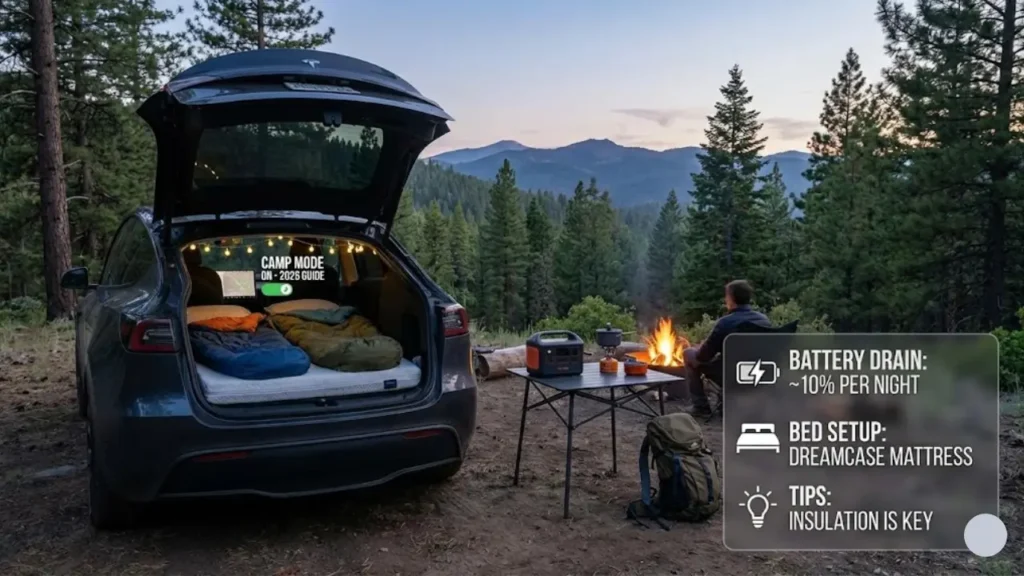
Forget uncomfortable tents and mosquito bites. With Tesla Camp Mode, you can sleep in a climate-controlled capsule, watching Netflix under the stars, all while keeping your devices charged.
It is not just a feature; it is a lifestyle. Here is everything you need to know about sleeping in your Tesla in 2026.
Many people think Camp Mode just “keeps the AC on.” It does much more than that. It is a dedicated software mode designed specifically for overnight stays.
What Actually Happens in Camp Mode?
When you enable Camp Mode (via the Climate menu), the car reconfigures itself for human occupancy while parked:
The Big Confusion: Camp Mode vs. Dog Mode
New owners often ask: “Can’t I just use Dog Mode or ‘Keep Climate On’?” You can, but they behave differently regarding locking and alarms. Here is the breakdown:
| Feature | ⛺ Camp Mode | 🐶 Dog Mode | ❄️ Keep Climate On |
|---|---|---|---|
| Climate Control | Active | Active | Active |
| Sentry Alarm | Disabled | Disabled | Active (Bad!) |
| USB Ports | Powered On | Powered Off* | Powered Off |
| Screen Display | Campfire Animation | “My Driver is Coming Soon” | Black / Off |
*Note: In some newer updates, USB ports may stay active in Dog Mode, but Camp Mode guarantees it.
The “Campfire” Vibe
The coolest part? When you activate Camp Mode, your screen displays a warm, animated campfire scene. It sets the mood perfectly.
But wait—does that bright screen keep you awake at night? Don’t worry, we have a hack for that in the troubleshooting section later.
Now, the million-dollar question: Will sleeping with the AC on drain your entire battery and leave you stranded? Let’s do the math.
Step 2: The Math (Will My Battery Die?)
This is the #1 fear. You drive to a remote campsite, sleep with the AC on, and wake up with a dead car, miles from a charger.
Relax. It is highly unlikely. Tesla’s heat pump system (in 2021+ models) is incredibly efficient. Here is the real-world consumption data for an 8-hour sleep:
Expect ~1% drain per hour.
(Total: ~8-10%)
Expect ~2-3% drain per hour.
(Total: ~15-20%)
*Based on Tesla Model Y Long Range with Heat Pump. Older models without heat pumps may use slightly more.
The Rule of Thumb: If you plan to camp overnight, aim to arrive at your campsite with at least 30-40% battery. This gives you plenty of buffer for sleeping (15%) and driving to the nearest Supercharger the next morning.
The 20% Safety Net
Tesla has a built-in fail-safe. Camp Mode will NOT run if your battery is below 20%. Also, if you are sleeping and the battery drops to 20%, the system will send a loud notification to your phone and screen to wake you up before turning off.
Planning a long camping road trip? Make sure you check our guide on Tesla Charging Costs to budget your trip.
🛡️ Is It Safe to Sleep in a Car?
In a gas car? NO. Running the engine to keep the AC on can lead to Carbon Monoxide (CO) poisoning, which is deadly.
In a Tesla? YES. Since there is no internal combustion engine, there are zero emissions. You can keep the windows rolled up tight, run the AC all night, and breathe perfectly clean, filtered air.
- ✅ HEPA Filter: If you have a Model Y or new Model 3, the “Bioweapon Defense Mode” filter cleans the outside air of pollen and dust while you sleep.
- ✅ Locking: You can lock the doors from the inside (via the screen or app) for total security. Sentry Mode is off, but the car is locked.
Step 3: Building Your 5-Star EV Suite
Folding the rear seats down is easy. Sleeping on them directly? That is a recipe for back pain. There is a slight gap between the trunk and the seats, and the surface is hard.
To get the “Glamping” experience, you need two essential upgrades: A custom mattress and privacy shades.
1. The Mattress (Memory Foam vs. Air)
Don’t just throw a yoga mat in the back. In 2026, brands are making mattresses specifically laser-cut for the Model Y and Model 3 curves.
The gold standard for Tesla camping. It’s thick (4.5 inches), feels like a real bed, and fits the wheel wells perfectly.
Best for: Long trips where sleep quality matters.
A segmented foam mattress that packs down so small it fits inside the Sub-Trunk. It leaves your main trunk empty for luggage.
Best for: Road trippers with lots of bags.
2. Privacy Shades (The “Fishbowl” Effect)
Teslas have a lot of glass. Without shades, you are sleeping in a fishbowl. Anyone walking by can see you, and the morning sun will wake you up at 5 AM.
Don’t use towels. Buy a set of Heatshield or similar custom-fit shades. They do two things:
1. Total Privacy (Blackout).
2. Insulation (Keeps the cold/heat out, saving battery).
Most campsites aren’t perfectly flat. Tesla seats don’t fold 100% flat (they have a slight 2-degree incline).
The Hack: Always park with the nose of the car slightly uphill. This cancels out the seat angle and creates a perfectly flat bed.
Where do you put your bags when sleeping?
1. Frunk (Front Trunk): For food/smelly items (keeps bears/animals away).
2. Front Seats: Move them all the way forward and fill the gap with bags.
3. Sub-Trunk: The deep well under the trunk floor is huge. Use it!
Step 4: Troubleshooting Common Issues
Problem: The animated campfire on the screen is cozy for 5 minutes, but bright when trying to sleep.
The Fix: You can’t turn the screen fully “off” in Camp Mode settings. Instead:
1. Go to Display Settings.
2. Tap “Screen Clean Mode”.
3. This turns the screen completely black (to wipe fingerprints). It stays black until you press and hold to exit. Perfect for sleeping!
Where Can You Actually Camp?
You can’t just park anywhere. Here are the two best options for EV camping:
Most RV sites have a NEMA 14-50 outlet (50 Amp).
Benefit: You can plug in your Mobile Connector and charge the car fully overnight while running the AC. You leave with 100% battery.
Parking on public land (BLM land) for free.
Benefit: Free and secluded.
Risk: No charging. Ensure you have enough battery to survive the night (15% drain) and drive back.
Recommended Apps: Use PlugShare (filter for NEMA 14-50) and iOverlander to find safe spots.
The Final Verdict
Is sleeping in a Tesla worth it? Absolutely.
It completely changes how you travel. You save $150+ per night on hotels, you wake up in beautiful locations, and you sleep in climate-controlled comfort. With the right mattress and shades, it is better than many budget motels.
Frequently Asked Questions (FAQs)
Camp Mode will stay on until you turn it off, or until your battery reaches 20% charge. At 20%, the car disables Camp Mode to preserve range for driving.
Yes. You can lock the car from the inside using the touchscreen (lock icon) or the Tesla app. This prevents anyone from opening the doors from the outside while you sleep.
Yes, it is 100% safe. Unlike gas cars, EVs emit no carbon monoxide or exhaust fumes. You can keep the windows tightly closed and breathe clean, filtered air all night.
⚠️ Safety Disclaimer: Always ensure you are parked in a legal camping area. While the car is safe, be aware of your surroundings. Keep your phone charged and ensure you have enough battery range to reach the nearest charger.
Pingback: Tesla Cabin Overheat Protection Not Working? The 20% Rule & Fix (2026) - greenmountmotors.com