
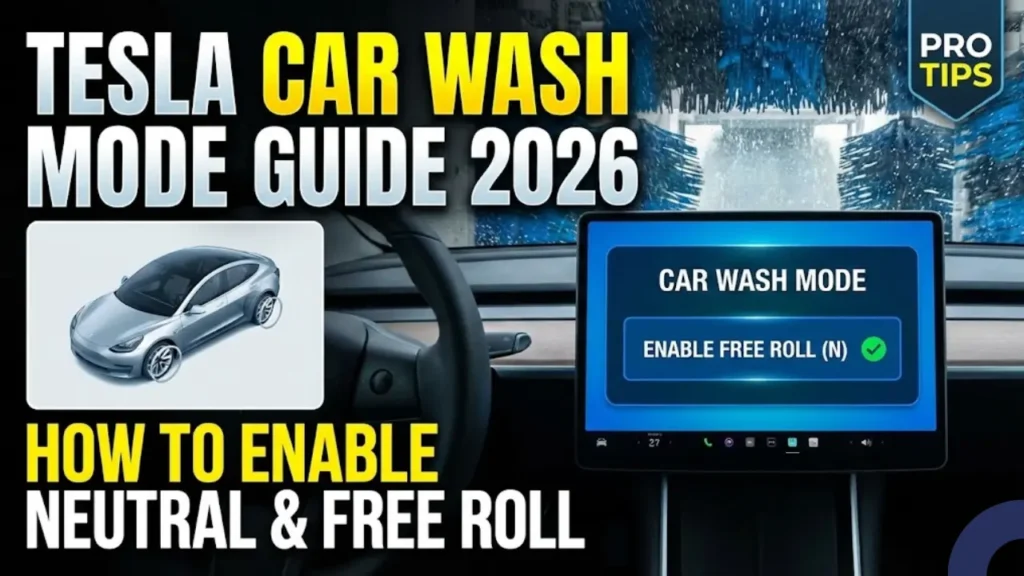
Taking a Tesla through an automatic car wash without the correct settings is a $2,000 mistake waiting to happen. If you do not lock the charge port or disable the automatic wipers, you risk physical damage to the vehicle sensors and motors. This guide is the definitive playbook for using Car Wash Mode correctly on Model 3, Model Y, and the new Cybertruck.
Let’s be real for a second. The first time you take your Tesla to an automatic car wash, it is terrifying. You are sitting in the queue, the attendant is waving you forward, and the conveyor belt is rolling. Meanwhile, you are frantically tapping the screen, trying to figure out how to put the car in Neutral without the parking brake slamming shut.
It sounds dramatic, but if you have been there, you know exactly what I am talking about. Before late 2021, washing a Tesla was a nightmare. You had a mental checklist of ten different things: fold the mirrors, kill the wipers, silence the parking sensors, lock the charge port, and pray you didn’t forget anything.
Thankfully, Tesla fixed this with Car Wash Mode. But if you do not use it correctly—especially on a conveyor belt—you can still damage your car or hold up the entire line.
Why You Cannot Just Use “Neutral”
In a standard gasoline car, shifting to Neutral is enough. In a Tesla, it is dangerous. Tesla vehicles are designed to protect themselves. If the cameras detect water spray, the wipers activate. If the pressure sensors feel a brush, the charge port opens.
If your concern is whether water will damage the battery pack itself, that is a myth we debunked in our guide on Can Electric Cars Go Through Car Wash?. However, the risk we are discussing here is mechanical damage to external parts, which requires software intervention.
The 3 Critical Risks of User Error
We analyzed service center reports, and these are the most common damages caused by improper car wash settings:
The charge port door is motorized. High-pressure water jets or physical brushes can force it open. Once open, the mechanism can be ripped off by the next cleaning cycle, or water can damage the high-voltage pins.
Tesla wipers react to camera visuals, not moisture sensors. The dark tunnel tricks the cameras into activating Max Speed wiping. If a heavy brush catches the wiper arm mid-sweep, it snaps the internal motor gears instantly.
Vehicle Compatibility Check (2026)
Before you look for the button, verify if your specific model supports the official mode. Legacy models require a different manual process.
Whether you are debating the differences in Tesla Model 3 vs Model Y, the good news is that both newer models share the exact same software interface for this feature.
| Model | Car Wash Mode Support |
|---|---|
| Model 3 & Model Y (All Years) | Yes (Software 2021.44+) |
| Model S & X (2021 Refresh) | Yes |
| Cybertruck | Yes |
| Legacy Model S/X (Pre-2021) | No (Manual Setup Required) |
If you have confirmed your vehicle has the feature, the next step is mastering the activation sequence before you enter the wash queue.
Step-by-Step Activation Guide
Timing is everything. You do not want to be the person holding up the line because you are fumbling through sub-menus while the attendant stares at you. We recommend activating this mode while you are still 2-3 cars away from the entrance.
As soon as you tap that button, the interface changes. You will hear the mechanical whir of locks engaging and windows sealing. This is your confirmation that the car is entering “Bunker Mode.”
Understanding the “Green” Status Screen
Once active, you will see a top-down visualization of your car. Your job is to verify that every indicator on this screen is green. If you see red or grey, the car is not sealed.
System Automatic Overrides:
Troubleshooting: Why is the Button Grey?
A very common frustration for new owners is finding the Car Wash Mode button greyed out and unclickable just as they approach the wash.
The Fix: The system is extremely strict about speed and door status. If you are rolling even slightly above 10 MPH, it remains inactive. Come to a complete stop for one second, and the button will light up blue. Also, check your dashboard for any “Door Open” warnings—even a slightly unlatched trunk will block activation.
At this stage, your car is safe for a hand wash or a stationary touchless wash. But if you are about to drive onto a conveyor belt where the car needs to roll, you are not done yet. You must enable “Free Roll,” or the car will lock up.
The Neutral Trap: How to Use “Enable Free Roll”
This is where things get tricky. If you are entering a conveyor belt wash—where you stay in the car while it moves along a track—you cannot simply shift into Neutral and sit back. Tesla safety systems are actively fighting against this.
In a standard car, Neutral is permanent. In a Tesla, if you lift your weight slightly off the driver’s seat, unbuckle your seatbelt, or if the car detects a door opening while in Neutral, it will automatically emergency shift into Park. If this happens inside the tunnel, your wheels will lock up, the conveyor belt will slide under your tires, and the car behind you could collide with your bumper.
To prevent this, Car Wash Mode has a specific sub-feature called Enable Free Roll. This setting tells the computer: “I am intentionally rolling, do not shift to Park even if I move in my seat.”
The Exact Sequence for Conveyor Belts
Most drivers fail here because they miss one specific input: The Brake Pedal. Follow this rhythm exactly as the attendant guides you onto the track.
For Stalkless Models (Highland/Cybertruck): Use the screen selector or overhead console to select Neutral.
If you are in Neutral but the Enable Free Roll button is unclickable, it means you are not pressing the brake hard enough. The car needs to feel physical brake pressure to confirm you are in control before it allows free rolling.
Once you are in Free Roll, do not touch the pedals, steer, or open the door. Just sit back and let the wash do its job. Next, we will cover how to exit the tunnel smoothly without panicking when the green light turns on.
Exiting the Tunnel: The 2-Second Rule
The wash is done, the blower is drying your windshield, and the green light at the exit turns on. You need to switch from “Neutral Free Roll” to “Drive” instantly to avoid blocking the car behind you. Do not overcomplicate this.
How to Exit Fast:
Simply press the brake pedal and shift into Drive (D). As soon as you exceed 10 MPH, Car Wash Mode will automatically disable itself. The mirrors will unfold, and the parking sensors will reactivate. You do not need to manually turn it off on the screen.
Pro Tip: Touchless vs. Soft Touch Washes
Not all car washes are created equal. Tesla paint is notoriously soft and prone to micro-scratches. Before you choose a location, understand the difference between the two main types of automatic washes.
These systems use high-pressure water jets and strong chemicals. No physical brushes touch your car. According to the International Carwash Association, modern touchless systems are significantly safer for the sensors used in electric vehicles compared to older friction-based machines.
These use spinning cloth or foam strips. While they clean better, they often trap dirt from previous cars (like Jeep Wranglers covered in mud) and slap it against your paint. We recommend avoiding these unless you plan to polish your car regularly.
Sometimes, even a good wash misses the deep crevices. If you notice debris stuck in your connector after a wash, do not jam a cloth in there. Follow our safe guide on How to Clean Your EV Charging Port to remove grime without damaging the pins.
Frequently Asked Questions
Mastering this simple feature transforms a stressful experience into a routine one. The next time you pull up to the queue, you won’t be the driver panic-tapping their screen—you will be the one rolling through smoothly.
Pingback: Why Do My Tesla Wipers Turn On Randomly? 3 Easy Fixes (2026) - greenmountmotors.com
Pingback: Tesla Paint Repair Guide: How to Fix Rock Chips DIY (Pearl White & Black) - greenmountmotors.com