
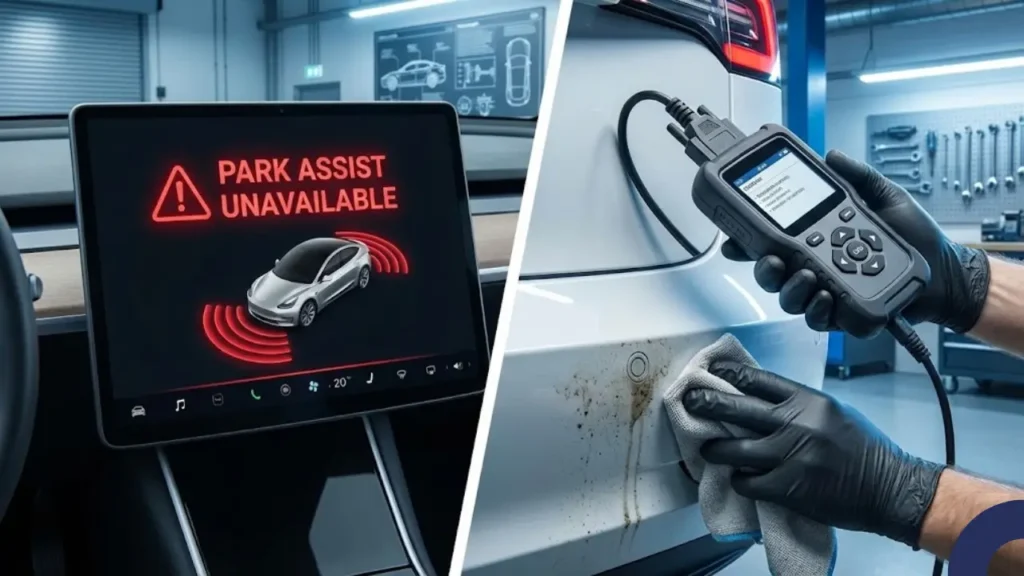
Imagine pulling into a tight parking spot, waiting for the familiar chime, but instead, your screen says “Park Assist Unavailable”. Don’t panic. In 90% of cases, this is a minor vision blockage, not a hardware failure.
In the “good old days” (pre-2023), Teslas used Ultrasonic Sensors (USS)—those little round circles on the bumpers—to detect walls. But in 2026, Tesla relies entirely on Tesla Vision. This means your car uses cameras to “see” distances. If the car gets confused, it disables Park Assist to prevent you from hitting a wall.
Decoding the Error Message
Before we start fixing it, we need to understand what your car is trying to tell you. Usually, the error appears in two forms:
Meaning: The system has completely given up. It cannot calculate depth at all. This usually happens when cameras are physically blocked (mud, ice) or calibration is lost.
Meaning: The system is working but with low confidence. This often occurs in extreme darkness, heavy rain, or blinding direct sunlight (glare).
Modern Teslas use High-Fidelity Park Assist, which creates a 3D reconstruction of your surroundings. This requires significantly more data than the old sensors. If even one camera lens is smudged, the entire 3D model fails to load, triggering the error.
So, is your computer broken, or does your car just need a bath? In the next section, we will perform the “Clean & Clear” inspection to identify the specific camera causing the blindness.
The “Clean & Clear” Inspection Method
Since your Tesla uses cameras (Vision) instead of sonic sensors, even a tiny smudge of dirt is equivalent to putting a blindfold on a human driver. Before you dive into complex settings, grab a microfiber cloth and some glass cleaner. We need to inspect the “Critical 7” cameras.
This is the #1 culprit. Because of aerodynamics, the back of a Model Y or Model 3 collects a lot of road dust and spray. Wipe this lens thoroughly.
Located behind the front wheels, these turn signal cameras look backwards. They often get blocked by mud flaps or splashback from puddles.
These are on the door pillars (glass area). Look closely—is there fog inside?
If you see the error “Park Assist Unavailable” on a cold morning, check the B-Pillars. Moisture can get trapped inside the glass housing.
The Fix: You don’t need a service center. Just pre-condition the car using the app (turn on Defrost) for 15 minutes. The internal heaters will evaporate the fog.
Is Your Screen Glitching Instead?
Sometimes, the cameras are clean, but the computer (MCU) itself is frozen and refusing to process the video feed. If the error persists after cleaning, or if your entire display feels sluggish, you might need to force a reboot. Check our safety guide on how to restart a frozen Tesla screen while driving.
A Note on Wraps & PPF
If you installed Paint Protection Film (PPF) or a color wrap, ensure the installer cut out the holes for the cameras precisely. Even a clear film over the lens can distort the light enough to confuse Tesla Vision.
If your cameras are sparkling clean and the error is still there, the problem is likely software calibration. In the next section, we will perform the “Deep Software Reset” to force the car to relearn its surroundings.
The Software Reset (Reboot the Brain)
If your cameras are physically clean but the system is still acting up, the software holding the “Vision” model might be corrupted. Before doing anything drastic, perform a standard scroll-wheel reset (hold both scroll buttons for 10 seconds). If that doesn’t work, we move to the advanced fix.
The Nuclear Option: Clear Camera Calibration
This is the most effective fix for persistent “Park Assist Unavailable” errors. It forces the car to forget its old vision data and relearn the environment from scratch. Here is how to do it safely:
You must drive the car for 20-25 miles (ideally on a highway with clear lane markings) to recalibrate. Once the circle turns blue, Park Assist should return immediately.
For more technical details on how Tesla vision processing works in the latest firmware, you can check the release notes on Not A Tesla App.
Check for “Bug Fix” Updates
In 2026, Tesla pushes software updates almost weekly. Sometimes, the “Park Assist Unavailable” error is simply a bug in the code (e.g., version 2026.4.2) that gets patched in the next release.
Go to the Software tab in your car settings. If you see “Update Available,” install it immediately. To ensure your car stays online and receives these critical fixes over the air, read our detailed guide on Tesla Premium Connectivity Worth It (2026 Guide).
If you have cleaned the cameras, reset the software, and recalibrated the vision system, but the error persists, you might be facing a hardware failure. In the final section, we will discuss when it’s time to open a service ticket and answer common FAQs.
The Hardware Reality Check (HW3 vs. HW4)
If the software reset didn’t help, you might be dealing with a loose cable or a dying camera module. In 2026, most Model Y and Model 3 units come with Hardware 4 (HW4), which uses higher-resolution 5MP cameras. While these are sharper, they are also more sensitive to heat and loose connections.
Pro Tip: Check “Service Mode” at Home
You don’t need to guess which camera is broken. The car knows. Here is how to access the hidden technician menu:
Warning: Service Mode is for diagnostics only. Do not change settings unless you are a certified technician.
Final Verdict: DIY or Service Center?
When to Book a Service Appointment
If you have cleaned the lenses, performed a scroll-wheel reset, and cleared the camera calibration, but the error persists for more than 48 hours, open a ticket in the Tesla App.
It is highly likely that a camera harness has come loose inside the bumper. This is covered under warranty. Also, ask yourself: Is Premium Connectivity worth it if your car’s sensors aren’t even working to use the data? Fix the hardware first.
Frequently Asked Questions
1. Can I drive with “Park Assist Unavailable”?Yes. Your car is safe to drive manually. However, Autopilot, FSD (Full Self-Driving), and Summon features will be disabled until the error clears.
2. Will a car wash fix this error?Often, yes. A thick layer of road salt or mud is the most common cause. However, avoid high-pressure washers directly on the camera lenses, as this can force water inside the housing.
3. How much does it cost to replace a Tesla camera?If out of warranty, a side repeater camera replacement typically costs between $150 and $250 (parts + labor) at a Tesla Service Center in 2026.
4. Does this error affect my parking sensors?For 2023-2026 models, yes. Since you don’t have physical ultrasonic sensors, the “Park Assist” error means your car has no way to measure distance, increasing the risk of curbing your wheels.
Pingback: Tesla Camera Calibration Stuck at 99%? How to Clear & Fix (2026) - greenmountmotors.com