
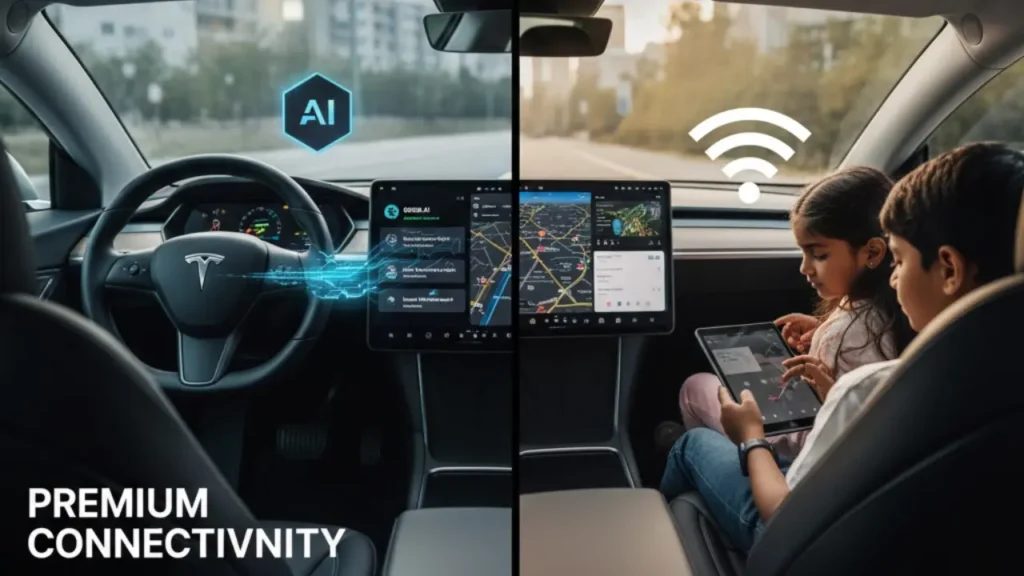
When you first take delivery of your new Tesla, the massive screen feels magical. The maps look like Google Earth, traffic updates are instant, and music streams endlessly. But after the 30-day trial ends, that magic can fade. In 2026, Tesla has evolved its data plan into a complete digital ecosystem powered by AI. Here is the unfiltered truth about whether Premium Connectivity is a necessity or just an expensive luxury.
Ownership of a Tesla often involves navigating through various subscription models. This “Pay-to-Play” culture is a major talking point in our guide on the pros and cons of electric cars. But for $9.99/month, are you actually getting enough value?
The Cost of Connection: 2026 Pricing
In the US market, Tesla has kept the pricing consistent, but the value proposition has skyrocketed due to new software features. Currently, you have two ways to pay:
- Monthly Subscription: $9.99 per month (plus tax).
- Annual Plan: $99 per year (plus tax), which saves you roughly $20 annually compared to monthly billing.
Standard Connectivity is included in all Tesla vehicles for the first 8 years at no additional cost. But “Standard” is a very basic experience. To understand what you are actually paying for, we need to look at the feature-by-feature breakdown.
Feature Comparison: Standard vs. Premium
| Feature | Standard Tier (Free) | Premium Tier ($9.99/mo) |
|---|---|---|
| Basic Navigation | Included | Included |
| Live Traffic Visualization | No | Yes |
| Grok AI Voice Assistant | No | Yes (New for 2026) |
| Satellite View Maps | No | Yes |
| Sentry Mode – Live Camera View | No | Yes |
| Video/Music Streaming | Wi-Fi Only | Cellular + Wi-Fi |
| Internet Browser | Wi-Fi Only | Cellular + Wi-Fi |
The core difference is simple: Premium Connectivity is the built-in cellular network for your car. Without it, you are tethered to Wi-Fi. In the next part, we will explore the popular “Hotspot Workaround” and see if your smartphone can genuinely replace Tesla’s built-in data plan.
The $0 Workaround: Using Your Phone as a Hotspot
Many Tesla owners decide to skip the $9.99 monthly fee by tethering the car to their smartphone’s Wi-Fi hotspot. On paper, it sounds like a perfect hack. Your phone already has unlimited data, so why pay twice? By saving that $120 a year, you could actually cover a significant portion of your annual cost to charge a Tesla.
To make this work seamlessly while driving, you must change one specific setting:
- Enable Personal Hotspot on your iPhone or Android.
- On the Tesla screen, go to Wi-Fi Settings and connect to your phone.
- Crucial Step: Tap on your Wi-Fi name and check the box that says “Remain Connected in Drive.”
If you don’t check “Remain Connected in Drive,” your Tesla will automatically disconnect from Wi-Fi as soon as you shift into Gear (D). But even with this setting enabled, the experience is far from perfect.
Why the Hotspot Method Often Fails
While this method unlocks the Browser, Netflix, and Spotify, it comes with several “Hidden Headaches” that most YouTubers don’t mention. In 2026, these limitations are becoming even more annoying:
Every time you get into the car, it takes 30-60 seconds for the phone and car to “find” each other. That’s a long time to sit in silence without music or navigation loading.
Running a hotspot while using GPS and wireless charging turns your phone into a brick of fire. This drastically reduces your phone’s long-term battery health.
This is the dealbreaker. Sentry Mode’s “Live Camera View” on your mobile app requires the car’s built-in cellular data. A hotspot won’t help you here because the car is asleep when parked.
Even with a gigabit hotspot connection, Tesla software-blocks Satellite View and Live Traffic lines on the Standard Tier. You simply cannot get them without paying.
In short, the hotspot method is a “band-aid” solution. It works for a quick Netflix session while charging, but for daily driving, the friction starts to outweigh the savings. Especially now that new AI features are entering the mix, which we will analyze in the next section.
The 2026 Upgrade: Why Standard Isn’t Enough Anymore
As we move deeper into 2026, the gap between a “Standard” Tesla and a “Premium” Tesla has become a canyon. It is no longer just about seeing red lines on a map for Live traffic visualization. It is now about the processing power and data requirements of Tesla’s new AI-driven ecosystem.
Grok AI Integration: Your Car Now Thinks
Tesla has officially integrated Grok AI (by xAI) into the native voice recognition system. Unlike the old basic voice commands, Grok allows for natural conversation, real-time news updates, and complex vehicle diagnostics. However, because Grok requires a constant high-speed data stream to interact with the cloud, it is strictly locked behind Premium Connectivity.
Using a phone hotspot for Grok is technically possible but often results in laggy responses due to latency. The native cellular connection provides the stability needed for a smooth AI experience. This feature is rolled out via frequent Over-the-air (OTA) software updates, so keeping your car updated via the settings menu is crucial to access these capabilities.
Hardware Matters: MCU 3 vs. MCU 4
Your experience with Premium Connectivity also depends heavily on your car’s computer chip. According to Tesla’s Official Connectivity Page, newer hardware unlocks more features:
Found in late 2025 and 2026 Model 3/Y and Cybertruck. It handles 5G data speeds seamlessly, enabling 4K Video Streaming and Cloud Gaming without stuttering.
Standard in 2022-2024 models. Excellent for Satellite maps and Grok AI, but may struggle slightly with high-end cloud gaming compared to MCU 4.
Found in older models (Pre-2022). These units are significantly slower and often cannot support the new AI voice features, even if you pay for the subscription.
For owners of the Model S and Model X delivered after late 2025, there is a massive perk: Tesla has started including Lifetime Premium Connectivity as a “standard” luxury feature to justify the higher price tag.
But for Model 3 and Model Y owners, the question remains: is that $99/year really worth the pixels on the screen? In our final section, we will calculate the actual value and provide the ultimate “Buy or Pass” verdict.
The Final Verdict: Is it Actually Worth It?
After analyzing the technical limitations of the hotspot workaround and the addition of Grok AI in 2026, the answer comes down to “Convenience vs. Cost”.
While many savvy users on Reddit argue that they prefer the $0 hotspot method, the majority of owners find that the “convenience tax” of roughly $8.25/month (on the annual plan) is a small price to pay for a car that is always online.
You rely on Live Traffic to beat rush hour, you park in public areas where “Live Sentry View” is a security necessity, or you want the full seamless experience of Grok AI voice commands.
You only drive short distances on familiar routes, have a massive mobile data plan with an automated hotspot setup, and don’t care about satellite maps or cloud-based voice assistants.
Ultimately, Tesla has built a car that is designed to be connected. Choosing the Standard tier is a bit like buying the latest iPhone but never putting a SIM card in it. It works, but you are missing the soul of the machine.
Frequently Asked Questions (FAQ)
Yes. In 2026, you can choose the $99/year annual plan, which saves you roughly $20 compared to the monthly billing cycle ($120/year). You can switch to this plan directly in the “Upgrades” section of your Tesla App.
No. Premium Connectivity only provides the “data pipe” (internet connection). You still need to have your own active personal subscriptions for Netflix, Disney+, Spotify, or Apple Music to log in.
Grok AI requires both Premium Connectivity and modern hardware (MCU 3 or MCU 4). Older Tesla models with Intel Atom chips (pre-2022) generally do not support the advanced AI voice assistant features due to processing limitations.
Yes, basic navigation and trip planning (including Supercharger stops) work perfectly on the Standard tier. However, you will not see live traffic colors (red/yellow lines) or satellite imagery.