
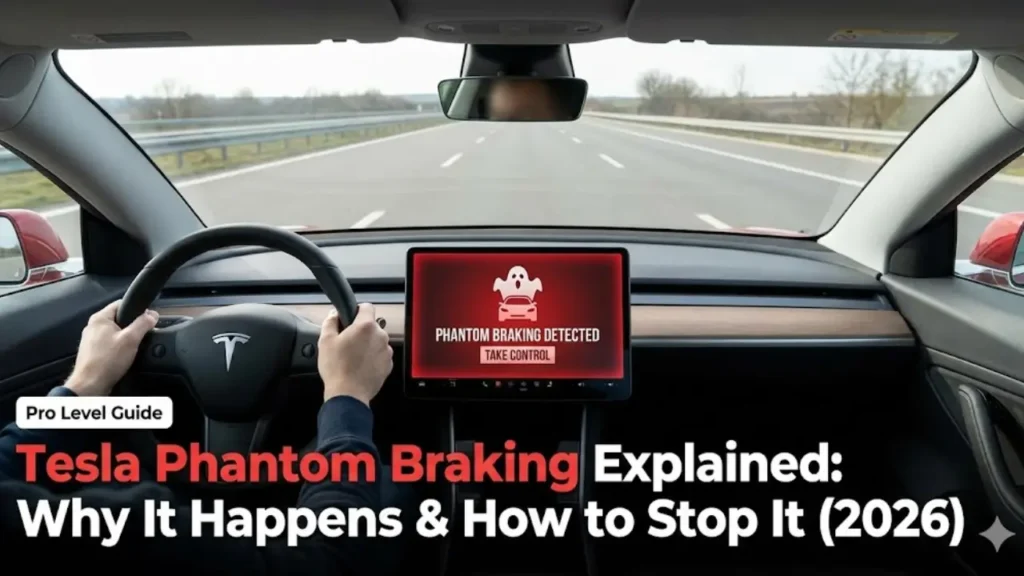
You are cruising on the highway at 75 mph. The sun is shining, the lane is clear, and Autopilot is doing its job. Suddenly, without warning—SLAM.
Your Tesla hits the brakes hard. Your seatbelt locks up, your coffee spills, and your heart jumps into your throat. You look around in panic, expecting to see a crash, but there is nothing. No car, no deer, no obstacle. Just an empty road.
If this terrified you, welcome to the club. This phenomenon is called Tesla phantom braking, and it is arguably the most frustrating and scary part of owning a Tesla today. But why does a futuristic car get scared of ghosts?
Phantom braking is a “False Positive” collision warning.
Your Tesla’s AI thinks it detects an obstacle (like another car or a pedestrian) that isn’t actually there. To prevent an accident, it instantly applies the brakes. It is most often caused by:
- Shadows: Dark shadows under bridges look like objects to the camera.
- Glare: Direct sunlight blinding the front cameras.
- Map Data: Incorrect speed limit data in the navigation.
The Root Cause: Tesla Vision vs. Radar
To understand why this happens, you need to know how your car “sees” the world. In the past, Teslas used both Cameras (eyes) and Radar (sensors) to detect objects.
However, starting in 2021, Tesla removed Radar sensors and switched to “Tesla Vision”—a system that relies 100% on cameras and AI processing. The car now judges depth, speed, and distance purely by looking at video feeds.
💡 Critical Note: Since the entire system depends on cameras, even a slight misalignment can cause the AI to panic. If your cameras aren’t calibrated correctly, phantom braking will happen more often. Check our guide on How to Fix Stuck Camera Calibration to ensure your car’s “eyes” are working perfectly.
Just like human eyes can be tricked by optical illusions, Tesla’s cameras can be tricked by high-contrast lighting or shadows. When the AI is “unsure” if a shadow is a rock or just a shadow, it prioritizes safety and hits the brakes. It is annoying, but the logic is: “Better to brake for a shadow than crash into a wall.”
The Top 3 Triggers: When Does It Happen?
Phantom braking isn’t completely random. If you pay attention, you will notice a pattern. The AI struggles with specific visual scenarios where “depth perception” gets tricky.
1. The “Bridge Shadow” Effect
This is the most common cause. You are driving on a sunny day, and there is a dark shadow cast by an overpass bridge on the road.
To a human eye, it’s clearly a shadow. But to a camera struggling with high contrast (bright sun vs. dark asphalt), that shadow can look like a solid wall or a stopped vehicle. The car panics and brakes.
2. Large Trucks in Adjacent Lanes
If you are passing a semi-truck on a two-lane highway, the Tesla AI gets very nervous. If the truck drifts even slightly toward the white line, your car might think: “It is going to hit me!” and slams the brakes to “avoid” a collision that wasn’t going to happen.
3. Dirty Cameras & Wipers
Since the car relies 100% on vision, a smudge on the windshield is like a cataract in the eye. If the front camera is blocked by dirt or a bug splatter, the AI loses confidence.
💡 Maintenance Tip: A dirty windshield often confuses the auto-wipers too. If your wipers are going crazy on a sunny day and you are experiencing phantom braking, your windshield sensor area is likely dirty. Learn how to solve this in our guide: Tesla Wipers Turn On Randomly? Here is the Fix.
Inside the AI’s Brain: What It Sees
To help you anticipate these events, here is a breakdown of what the road looks like to you versus what your Tesla thinks it sees.
| The Scenario | What AI Thinks | The Reaction |
|---|---|---|
| Dark Shadow under Bridge | “Solid Object / Wall” | Hard Brake |
| Speed Limit Sign (Truck) | “Speed dropped to 45” | Rapid Deceleration |
| Hill Crest (Road dip) | “Horizon Disappeared” | Hesitation / Slow Down |
| Merging Traffic | “Potential Collision” | Emergency Brake |
How to Minimize the Scare (Pro Driving Tips)
Until Tesla releases a software update that completely fixes this (we are looking at you, FSD Beta v12), you need to adapt your driving style. Here is how seasoned Tesla owners handle it.
1. The “Hover Foot” Technique
This is the golden rule of using Autopilot. Never rest your feet flat on the floor. Always keep your right foot hovering slightly above the accelerator pedal.
If you feel the car starting to brake abruptly for no reason, immediately press the accelerator.
This sends a signal to the computer: “I am the human, and I say it is safe to go.” The car will instantly stop braking and maintain speed. It overrides the phantom event before the car behind you even notices.
2. Report the Bug Instantly
Help Tesla fix the AI. As soon as a phantom braking event happens, press the right scroll wheel button and say: “Report Bug: Phantom Braking.”
While this doesn’t fix it instantly, it flags that specific timestamp in your car’s logs. When your car uploads data to Tesla servers via Wi-Fi, engineers can use that clip to train the neural network.
3. Stay Alert (Don’t Get Complacent)
Phantom braking is a reminder that Autopilot is a driver assist system, not a chauffeur. You must be ready to take over at any millisecond.
If you get too comfortable and stop paying attention, not only is it dangerous, but the cabin camera might catch you looking at your phone during a braking event. This can lead to a “Forced Disengagement.”
Accumulate enough of these, and Tesla will ban you from using the features you paid for. Read our guide on How to Reset Tesla Autopilot Suspension & Strikes to avoid losing your FSD privileges.
4. Recalibrate Cameras
If phantom braking is happening on every drive, your cameras might be out of sync. Go to Service > Camera Calibration > Clear Calibration. You will need to drive for about 20-30 miles on a highway with clear lane markings to reset the system.
The biggest danger of phantom braking isn’t that you will hit something in front—it is that someone will hit you from behind.
If a car is tailgating you (following too closely) on the highway, do not use Autopilot. If your Tesla slams on the brakes unexpectedly, the driver behind you won’t have the reaction time to stop. Always check your rearview mirror before engaging Autopilot.
The Verdict: Is It Getting Better?
Phantom braking is the “growing pain” of AI driving. While it is terrifying the first time it happens, experienced owners learn to anticipate it near bridges or large trucks.
The good news is that Tesla is actively rewriting the entire software stack. The investigation by the NHTSA (National Highway Traffic Safety Administration) has pushed Tesla to prioritize fixing these false positives in the latest FSD Beta updates.
Until then, keep your foot hovering, keep your cameras clean, and stay alert.
Frequently Asked Questions
Is there a permanent fix for phantom braking?
Currently, no. Since it is a software interpretation issue, it varies with each update. However, calibrating your cameras and keeping the windshield clean can significantly reduce the frequency of these events.
Does phantom braking happen on all Tesla models?
Yes. Whether you drive a Model 3, Model Y, S, or X, they all run on the same “Tesla Vision” software stack. However, newer models without ultrasonic sensors (2023+) tend to be more sensitive to visual illusions.
Can phantom braking cause an accident?
It is rare for the Tesla to lose control, but it increases the risk of being rear-ended. Always be ready to press the accelerator to override the braking immediately.
⚠️ Disclaimer:
This article explains software behavior based on current Tesla firmware versions. GreenMountMotors is not affiliated with Tesla, Inc. or the NHTSA.
Autopilot and FSD are “Level 2” driver assist systems. The driver is fully responsible for the vehicle at all times. Never rely solely on the car to make safety decisions.