
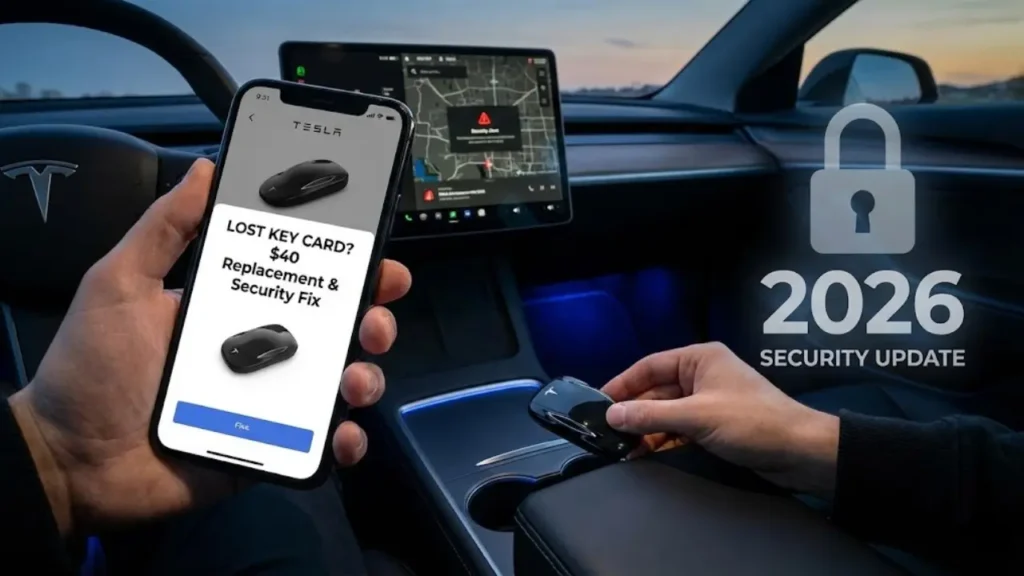
It’s the moment every driver dreads. You pat your pockets, check your bag, retrace your steps, and realize: Your Tesla Key Card is gone.
Unlike losing a traditional metal car key, losing a Tesla key card feels different. You worry about digital security. “Can someone just walk up to my Model 3 and drive away?” “Do I need to change the locks?”
The short answer is: Do not panic. You can secure your car in less than 30 seconds right from the driver’s seat.
In this comprehensive guide, we will walk you through the entire process of a Lost Tesla Key Card replacement. We will show you how to delete the lost key instantly, how to pair a new one for under $40, and crucial security steps for used Tesla buyers.
If you are sure the key is lost or stolen, you must revoke its access NOW. You do not need to visit a service center.
1. Sit in your car (ensure your Phone Key or backup card is with you).
2. Tap Controls > Locks on the touchscreen.
3. Look at the key list. Find the lost card (usually named “Key Card 1” or “Unknown”).
4. Tap the Trash Bin icon (Delete) next to it.
The car will ask you to scan an existing authenticated key to confirm. Once done, the lost card is instantly useless plastic.
Did You Just Buy a Used Tesla?
This step is even more critical for second-hand buyers. When you buy a used Tesla, the previous owner might still have a spare key card in their wallet or, worse, active “Phone Key” access.
We highly recommend performing a “Key Audit” immediately after purchase. Delete ALL unknown keys until only the ones physically in your hand remain on the screen. For extra peace of mind, ensure your Tesla Sentry Mode is active to record any suspicious activity around your vehicle while it’s parked.
Emergency: How to Drive Without a Key
What if you lost your key card while you were out shopping, and your phone is dead? Or maybe your phone’s Bluetooth is acting up?
Option A: Remote Start via App (Requires Internet)
If you have a friend or family member with the Tesla app logged into your account, call them! They can press “Controls > Start” in the app. This gives you a 2-minute window to put the car in Drive and go, even without a key present.
Option B: The Charger Trick
If you are at a Supercharger, plugging in can sometimes wake the car up and help re-establish a phone connection if it was just a glitch.
Now that your car is secure, you need a replacement. Do not go to the dealership and pay $200. In the next section, we will break down the Cost to replace a Tesla key card and why you should avoid eBay.
How Much Does a Replacement Cost? (Good News)
If you have ever lost a key fob for a BMW or Mercedes, you know the pain of a $400 bill and a mandatory dealership visit. Tesla is different.
Because your Tesla uses RFID (NFC) technology and Bluetooth, the “keys” are essentially software commodities. You do not need to visit a Tesla Service Center to buy or program them.
Cost Breakdown: Card vs. Fob
You have two main hardware options when replacing your lost access method:
| Key Type | Approx. Cost (USD) | Where to Buy |
|---|---|---|
| Key Card (Pair) | $35 – $40 | Tesla Shop / Service Center |
| Key Fob | $175 – $200 | Tesla Shop |
Most owners stick with the Key Card because it fits in a wallet and is waterproof. Plus, for $40, you usually get a pack of two cards. This is the cheapest car key replacement in the industry.
Where to Buy? (Avoid the eBay Trap)
We strongly recommend buying directly from the Official Tesla Online Shop. Shipping is usually fast (2-3 days).
Avoid buying “used” Tesla key cards or fobs from eBay or Craigslist. While key cards can technically be reprogrammed, many third-party sellers sell defective or locked cards. For the small price difference, it is not worth the risk of getting a dud.
Compatibility Check
Before you hit “Buy,” ensure you are getting the right version. The sleek black NFC Key Card works seamlessly across the lineup, whether you drive the sedan or the SUV. In fact, the technology is identical.
As we noted in our Tesla Model 3 vs Model Y comparison, these vehicles share about 70% of the same parts, and the locking mechanism (B-Pillar NFC reader) is exactly the same. However, if you own an older (pre-2021) Model S or Model X, you may require a specific Key Fob instead of a card.
Once your new keys arrive in the mail, you don’t need a locksmith. You can program them yourself in your driveway in under 2 minutes. In the next section, we will give you the step-by-step DIY Pairing Guide.
Step 1: How to Add a New Key Card
You have your new $40 key cards in hand. Now, you need to introduce them to your car. The process is identical for Add new key card Tesla Model Y and Model 3.
Requirement: You need one working key (another card or an active Phone Key) to authorize the new one. If you lost ALL keys, you unfortunately have to visit Tesla Service.
- Place the NEW key card on the center console (behind the cup holders), just like you do to start the car.
- On the screen, go to Controls > Locks.
- Tap the + (Plus) icon next to the Keys list.
- The screen will say “Tap Existing Key Card to Approve.”
- Remove the new card and place your OLD (Working) card on the same spot. The screen will beep, and the new key is added!
Step 2: Setting Up the Phone Key
While the card is a great backup, you probably want to use your smartphone as the primary key. If you got a new phone or reset your device, you might need to Setup Tesla phone key iPhone (or Android) again.
The Process:
- Open the Tesla App on your phone.
- Ensure Bluetooth is ON.
- Select “Phone Key” and tap Start.
- The app will search for your car. When prompted, tap your Key Card on the door pillar (B-Pillar) to confirm authorization.
Troubleshooting: “Phone Key Connected But Not Working”
Sometimes, even after setting it up successfully, you walk up to the car and the door won’t open. You have to take your phone out and unlock the screen to make it work. This defeats the purpose of “Passive Entry.”
This is usually a background permission issue (especially on iOS). If you are facing this annoying glitch, we have a dedicated guide to fix the Tesla phone key not working reset. Read our full troubleshooting steps here: Tesla Phone Key Connected But Not Unlocking? (Fix It Now).
Now that your keys are programmed and working, there is one last special scenario: Valet Parking. What do you do when you hand your car to a stranger but don’t want to give them your key card?
The Ultimate Security Layer: PIN to Drive
Even if you have deleted the lost key, you might still feel uneasy. What if someone cloned your signal? What if a hacker gets in?
The single best security feature Tesla offers—which most owners ignore—is PIN to Drive. Think of this as Two-Factor Authentication (2FA) for your car.
How it works: Even if someone has your Key Card or your Phone, they cannot drive the car without entering a 4-digit PIN on the screen.
Go to Controls > Safety > PIN to Drive. Set a 4-digit code. Now, every time you want to drive, you must tap in the code. It takes 2 seconds but makes the car virtually impossible to steal.
Valet Mode Without a Key?
A common dilemma is handing your car to a valet when you only use your Phone Key. Do you give them your unlocked phone? No.
The Solution: This is why you should always keep a spare Key Card in your wallet. If you don’t have one, you can technically use the Tesla App to “Start” the car remotely for the valet once they are in the driver’s seat, but this is clunky. We recommend keeping a “Guest Card” specifically for valets and service appointments.
Frequently Asked Questions
No. The key cards are passive RFID chips (like a credit card). They do not have GPS or batteries, so you cannot track them using an app. Once lost, delete it immediately.
2. How many keys can I pair to my Tesla?The Model 3 and Model Y support up to 19 keys simultaneously (a mix of phone keys, key cards, and fobs). You have plenty of room for family members.
3. Are Tesla key cards waterproof?Yes. If you accidentally left your key card in your jeans and it went through the washing machine, it will likely still work. It is just plastic and a copper antenna.
Disclaimer: GreenMount Motors is an independent guide. We are not affiliated with Tesla, Inc. Prices mentioned are subject to change by the manufacturer.
Pingback: How to Factory Reset Your Tesla Before Selling: The Ultimate Checklist (2026) - greenmountmotors.com