
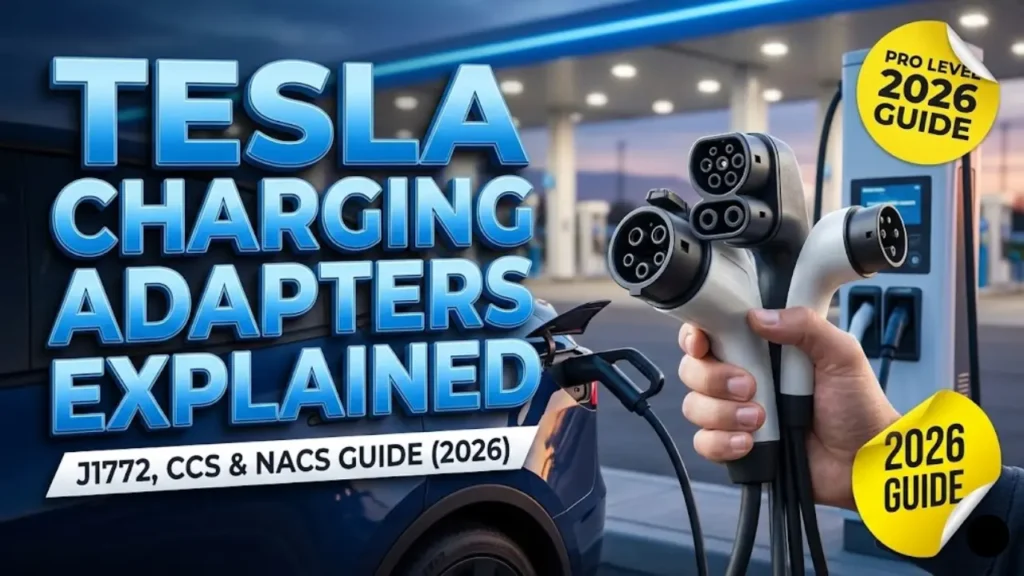
You just pulled up to a nice hotel or a public parking garage that advertised “EV Charging Available.” You grab the cable from the station, try to plug it into your Tesla Model 3 or Y, and… it doesn’t fit.
The plug is round and bulky, while your car’s port is slim and sleek. Panic sets in. Did you buy the wrong car? No. You just need to understand the language of EV connectors.
In the world of electric vehicles, there isn’t just one universal “gas nozzle” yet. There are three main acronyms you need to memorize: NACS, J1772, and CCS.
In this comprehensive Tesla charging adapters guide, we will explain exactly what each adapter does, which ones you need to buy, and how to fast-charge your Tesla at non-Tesla stations like Electrify America.
At a Glance: The Connector Cheat Sheet
Before we dive deep, here is a quick reference to help you identify what you are looking at:
| Standard | Speed (Level) | Used By… |
|---|---|---|
| NACS (Tesla) | Fast & Slow | All Tesla Vehicles |
| J1772 (J-Plug) | Slow (Level 2) | Public AC Chargers (Hotels/Malls) |
| CCS1 (Combo) | Super Fast (Level 3) | Electrify America, EVgo (Non-Tesla) |
Charging infrastructure fragmentation has long been one of the biggest points discussed in our Pros and Cons of Electric Cars guide. Fortunately, adapters solve this problem.
1. The Native Port: NACS (Tesla)
Every Tesla built for the North American market uses the proprietary Tesla connector, now officially known as NACS (North American Charging Standard).
This is the slim port located behind the reflector light on the driver’s side taillight. It is brilliant engineering because the same two pins handle both AC charging (home) and DC fast charging (Superchargers). You never need an adapter to use a Tesla Supercharger.
2. The “Glovebox” Adapter: J1772
If you check your glovebox or the mobile connector kit in your trunk, you will find a small, black plastic funnel. This is the J1772 Adapter.
What is J1772 adapter Tesla used for?
This adapter allows your Tesla to connect to “standard” Level 2 public charging stations found at:
- Hotels and Airbnb rentals
- Shopping malls (ChargePoint, Blink, Volta)
- Workplace parking lots
- Your friend’s house (if they have a generic EV charger)
Always attach the adapter to the charging station’s nozzle FIRST, listen for a click, and then plug the whole assembly into your Tesla. Wait for the Tesla logo to turn green before walking away.
While J1772 is great for overnight charging, it is painfully slow for road trips. If you want to use high-speed third-party chargers (like Electrify America), you need the big gun: the CCS Adapter. But beware—not all Teslas can use it.
3. The Heavy Hitter: CCS Combo 1 Adapter
While the J1772 adapter is for slow sipping, the CCS (Combined Charging System) adapter is for fire-hose drinking. This allows your Tesla to use high-speed DC fast chargers from networks like Electrify America, EVgo, and Francis Energy.
Why do you need it?
Tesla’s Supercharger network is vast, but there are still rural gaps in places like West Texas or the Dakotas where third-party CCS chargers are the only option. Having a Tesla CCS adapter retrofit or unit gives you access to 50,000+ additional fast chargers.
⛔ STOP: Check Compatibility First
Here is the catch: You cannot just buy the adapter and plug it in. Your car needs a specific piece of internal hardware (an ECU) to talk to the CCS station. Many older Model 3s and Model Ys (pre-2021) do NOT have this.
Before spending money, sit in your car and follow these steps:
1. Tap Controls (Car icon).
2. Tap Software.
3. Tap Additional Vehicle Information (blue text).
4. Look for the line: CCS Adapter Support.
❌ If it says “Not Installed”: You cannot use the adapter yet.
✅ If it says “Enabled”: You are good to go!
My Car Says “Not Installed.” Now What?
If your car is older (typically 2018-2020 models), don’t worry. Tesla offers a Retrofit Service.
You can schedule a service appointment through the Tesla App. For about $350 – $450 (price includes the adapter + installation), a mobile ranger will come to your driveway and swap out the charge port ECU. It’s a worthy investment for road trippers.
However, keep in mind that CCS speeds can vary wildly depending on the station’s health and the weather. Just like Superchargers, CCS stations struggle in freezing temps. See our guide on EV Range Loss and Charging Speed in Winter to understand why a “350kW” charger might only give you 50kW on a cold day.
Where to Buy the Adapter?
If your car says “Enabled,” you just need to buy the plastic adapter. We strictly recommend buying the official version from the Tesla Online Shop ($250).
There are cheaper third-party knockoffs on Amazon (Lectron/Hansshow), but when dealing with 250kW of electricity pumping into your battery, we advise sticking to the OEM part for safety.
Now that you have the gear, how do you actually use it? Unlike Tesla Superchargers, third-party stations are not plug-and-play. In the next section, we will guide you through the “Payment & App” maze so you don’t get stranded.
How to Use Non-Tesla Chargers (Step-by-Step)
Using a Supercharger is magic: you plug in, and it works. Using a station like ChargePoint or Electrify America requires a bit more work because the car and the station don’t automatically know who you are.
Whether you drive a Model 3 or Model Y (both share the exact same charge port location, as detailed in our Tesla Model 3 vs Model Y comparison), the process for how to use non-Tesla chargers is the same:
- Download the App First: Do not wait until you are stranded with 1% battery. Download apps like ChargePoint, EVgo, or Electrify America and add your credit card info beforehand.
- Activate the Station: Open the app or tap your credit card on the machine before plugging in.
- Assemble the Link: Attach your adapter (J1772 or CCS) to the station’s nozzle firmly. Listen for a “click.”
- Plug into Car: Insert the combined nozzle into your Tesla. The light should turn blue (communicating) and then blinking green (charging).
Pro Tip: To find these stations, we highly recommend using PlugShare. It allows you to filter specifically for stations that have J1772 or CCS plugs.
The “J1772 Theft” Issue (and the $10 Fix)
Here is a common frustration with public Level 2 charging: The Stranger Danger.
When you lock your Tesla, the car locks the J1772 adapter into the charge port. However, it does NOT lock the charging station’s nozzle to the adapter.
This means a stranger walking by can unplug the charging handle from your adapter to charge their own car, leaving you with no charge. Even worse, if the adapter isn’t locked tight, someone could potentially wiggle it free and steal it.
For peace of mind at hotels or public garages, buy a “Charger Lock Ring” (available on Amazon for ~$10). This simple plastic ring slips over the J1772 adapter and physically prevents the release button from being pressed while the car is locked. It effectively locks the nozzle to your car.
So, we have covered the adapters you need today. But what about tomorrow? You might have heard news that Ford, GM, and Rivian are switching to Tesla’s plug. Does this mean you wasted money on adapters?
In the final section, we will explain the Future of NACS and answer the most frequently asked questions about charging safety.
The Future: NACS Wins the War
For years, the debate of Tesla NACS vs CCS explained was like VHS vs. Beta. But in 2025-2026, the war officially ended. Tesla won.
Major automakers like Ford, GM, Rivian, and Honda have announced they are switching to Tesla’s NACS port. This validates your purchase—your car has the “port of the future.”
What does this mean for you?
It means the need for adapters will eventually decrease. As more public charging networks (like Electrify America) start adding NACS cables to their stations, you will soon be able to plug into almost any charger in the country without needing a bulky CCS adapter. But until that transition is complete, keeping your adapters in the trunk is still smart.
Frequently Asked Questions
Technically, yes, but we don’t recommend buying one. CHAdeMO is a dying standard (mostly used by the Nissan Leaf). The adapter is huge, expensive ($400+), and slow (max 50kW). Stick to CCS.
2. Is it safe to leave the J1772 adapter connected in the rain?Yes. Both the Tesla connector and the J1772 adapter are designed to be weather-resistant. It is perfectly safe to charge outside in rain or snow.
3. Does using an adapter slow down charging speed?No. The adapter is just a pass-through for electricity. It does not throttle speed. Your charging speed is limited by the station’s output or your car’s battery temperature, not the plastic adapter.
For more details on home and public charging options, visit the official Tesla Charging Support Page.
Disclaimer: GreenMount Motors is an independent EV guide. Always check your vehicle’s software menu to confirm hardware compatibility before purchasing high-voltage adapters.
Pingback: 7 Common Ford Mustang Mach-E Problems (2026): "Stop Safely Now" Fix - greenmountmotors.com