
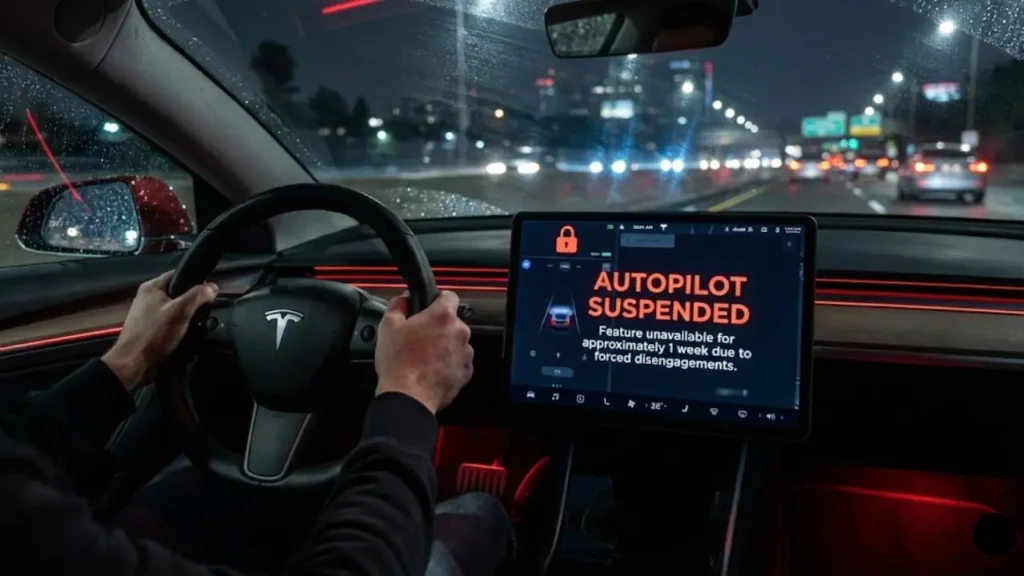
You are cruising on the highway with Full Self-Driving (FSD) engaged. You glance down at your phone for just two seconds to change a song. Suddenly, the screen flashes blue, then red. A loud beeping alarm fills the cabin.
You grab the wheel, but it is too late. The screen displays the dreaded message: “Autopilot unavailable for the rest of this drive.”
It happens four more times over the next month. Then, the hammer drops: “Autopilot Suspended. Feature unavailable for approximately 1 week.”
Welcome to Autopilot Jail.
If you are looking for a Tesla Autopilot suspension reset, you are likely frustrated. You paid thousands of dollars (or a monthly subscription) for this software, and now your car is treating you like a teenager who got grounded. In this guide, we will decode how the “Strike System” works, debunk the myths about resetting it, and show you how to stay out of jail in the future.
The “5 Strikes” Rule: How It Actually Works
Before we talk about resets, you need to understand the counter. Tesla’s safety system monitors your attention through the Cabin Camera (located above the rearview mirror) and the torque on the steering wheel.
A “Strike” (technically called a Forced Disengagement) happens when the system shuts itself off because it thinks you were ignoring warnings. It is not just a polite cancellation; it is a penalty.
5 Strikes = 1 Week Suspension.
Under the latest software (post-NHTSA recall), if you accumulate 5 forced disengagements, your car will remove access to FSD Beta and Autosteer for approximately 7 days. There is no fine to pay—only time will fix it.
Is It My Fault? (Ghost Strikes)
Sometimes, you get a strike, and you swear you were paying attention. This is a massive pain point for owners.
Tesla’s system isn’t perfect. “Ghost Braking” or sudden confusion by the car can lead to a disengagement that looks like a strike. Often, this is caused by conflicting data between the cameras and the map.
If your car is constantly disengaging or acting erratically before giving you a strike, check if your navigation data is healthy. A frozen or glitching location sensor can confuse the Autopilot computer. Read our guide on Fixing Tesla GPS Stuck & Navigation Issues to rule out hardware glitches causing these false alarms.
The Difference: “Rest of Drive” vs. “Suspension”
There is a lot of confusion between the two types of bans. Knowing the difference saves you a lot of anxiety.
- Soft Ban (Rest of Drive): You ignored the flashing blue light too long. Autopilot turns off until you put the car in Park (P). This adds 1 Strike to your permanent record, but you can drive manually.
- Hard Ban (Suspension): You hit 5 strikes total. The feature is greyed out entirely. No amount of parking or rebooting will bring it back immediately.
So, you have 4 strikes and you are sweating. Or maybe you already hit 5. Can you reset the counter before the week is up? The internet is full of “hacks”—but do they work? In the next section, we will test the myths against reality.
Can You Reset FSD Strikes? (Myths vs. Reality)
Go to any Tesla forum, and you will see people asking: “How do I clear my strikes?” You will also see a lot of bad advice. Let’s look at the popular “hacks” and see if they actually work in 2026.
Myth #1: The Scroll Wheel Reboot
The Theory: Restarting the screen clears the memory, so it should clear the strikes.
The Reality: False. The scroll wheel reset only reboots the infotainment display (the UI). The Autopilot computer stores safety data in non-volatile memory. Rebooting the screen is like turning your monitor off and on again—it doesn’t delete the files on your computer.
Myth #2: The Factory Reset
The Theory: Wiping the car completely to “Factory Settings” will erase the user profile and the strikes with it.
The Reality: Mostly False. This used to work years ago. However, Tesla now links your “Safety Score” and “Autopilot Strikes” to your VIN (Vehicle Identification Number) on their cloud servers.
When you factory reset and log back in, the car syncs with Tesla’s mothership, sees that VIN #12345 has 4 strikes, and downloads that penalty right back to your car.
Warning: A factory reset wipes everything—your seat settings, Homelink, Spotify login, and keys. It is a huge hassle. Unless you are selling the car, do not do this expecting a miracle. If you still want to try it as a last resort, follow our safety guide on How to Factory Reset Your Tesla Correctly.
The Only Real Loophole: Software Updates
There is only one confirmed way that strikes get cleared before the 1-week penalty: A Major Software Update.
Historically, when Tesla pushes a major version update (e.g., moving from FSD v11 to v12), they often reset the counters for the entire fleet to give everyone a fresh start with the new algorithm.
The Strategy: If you are sitting at 4 strikes, check your “Software” tab. If there is an update pending, install it immediately. There is a 50/50 chance it might wipe your slate clean.
How to Avoid the “Nag” (The Cabin Camera)
Since you can’t easily reset the strikes, the only winning move is not to get them. But Tesla’s new attention monitoring system is aggressive.
The Cabin Camera (the small lens above your rearview mirror) is watching your eyes. It knows if you are looking at your phone, the screen, or out the window for too long.
In the next section, we will discuss how to keep the cabin camera happy, the “Sunglasses Trick,” and why covering the camera is a terrible idea.
The “Cover Up” Mistake: Don’t Block the Camera
In the early days of FSD Beta, you could put a piece of tape over the cabin camera (above the rearview mirror) to stop it from watching you. Those days are over.
If you cover the camera now, the system detects “Camera Occluded” instantly. Instead of giving you a relaxed drive, it will:
- Refuse to engage FSD/Autopilot entirely.
- Bombard you with “Pay Attention” beeps even more aggressively.
- Eventually issue a forced disengagement (a Strike).
Tesla’s neural networks are trained to detect not just eyes, but head position and phone usage. You can read more about how this data is processed in Tesla’s Cabin Camera Privacy Support.
The Sunglasses Strategy
If the camera is too sensitive and yells at you even when you are looking at the road, a good pair of sunglasses can act as a buffer.
Why it helps: The camera relies heavily on eye tracking. Dark sunglasses (that are not polarized to block Infrared) hide your pupils. The system switches from “Eye Tracking” to “Head Tracking.” As long as your head is pointing forward, the car assumes you are paying attention, reducing the number of false alarms.
The Best Defense: Use Your Voice
The #1 reason people get strikes is changing music or climate settings on the touchscreen. Looking at the center screen for more than 2-3 seconds triggers the “Red Hands” warning.
The solution? Stop touching the screen. Use the right scroll wheel button instead.
If you say “Set temperature to 70” or “Play Taylor Swift,” your eyes stay on the road, and the camera remains happy.
If your car doesn’t respond when you press the button, you are at risk of getting frustrated and looking at the screen again. Ensure your microphone is working perfectly. Check our guide on Tesla Voice Commands Not Working to keep your hands on the wheel and your record clean.
What About Steering Wheel Weights?
You might have seen “Autopilot buddies” or weights sold online that clip onto the steering wheel to simulate your hand. Do not use these.
Tesla’s software can now detect the specific vibration pattern of a dead weight versus a human hand. If caught using a defeat device, Tesla has the right to permanently ban your VIN from FSD Beta, with no refund. It is simply not worth the risk.
So, you know the rules and the myths. But what if you are currently banned and just have to wait it out? In the final section, we will answer the most common FAQs and summarize the suspension timeline.
Frequently Asked Questions
The suspension lasts for approximately one week from the moment you receive the 5th strike. There is no way to speed this up. Once the week is over, the feature will automatically reactivate, and your strike counter will reset to zero.
2. Why are the rules so strict now?In late 2023, Tesla issued a voluntary recall (OTA update) following pressure from the National Highway Traffic Safety Administration (NHTSA). This update made the driver monitoring system significantly more sensitive to ensure drivers are paying attention.
Source: NHTSA Safety Recall Report
3. Can I just switch drivers/profiles to avoid the ban?No. The suspension is tied to the vehicle’s VIN (Vehicle Identification Number), not the specific driver profile. If you get suspended, your spouse or anyone else driving the car will also be unable to use Autopilot/FSD.
4. Does a scroll wheel reset clear the strikes?No. Rebooting the screen only restarts the user interface. The strike data is stored deep in the Autopilot computer and synced with Tesla’s cloud servers. It persists through reboots.
Disclaimer: GreenMount Motors is an independent guide. We do not encourage bypassing safety features. Always pay attention to the road while using driver-assist systems.