
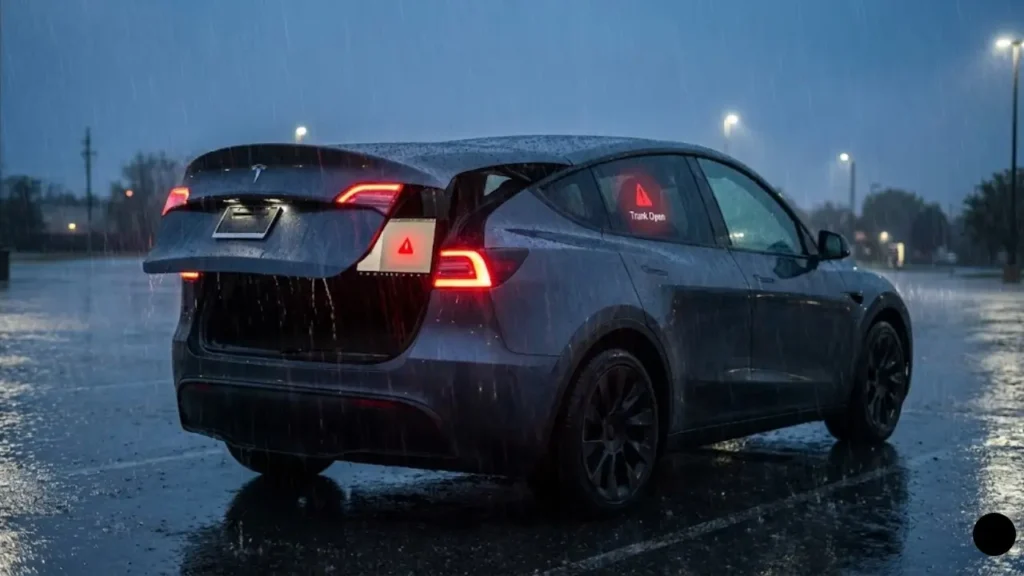
It starts to rain. You just loaded your groceries into your Tesla Model 3 or Model Y. You press the “Close” button on the trunk lid. It lowers about six inches, stops, makes a triple chime sound—Beep! Beep! Beep!—and rises back up.
You try again. Same result. You push it harder. It fights back.
Now you are standing in the rain with a trunk that refuses to latch, and your screen is screaming “Trunk Open”. If you drive like this, the car will beep incessantly. If you park like this, the car won’t sleep, and your battery will drain.
If your Tesla trunk won’t close, don’t panic. In 90% of cases, it is not a broken motor—it is a sensor calibration issue or a “ghost” obstruction. In this guide, we will walk you through the troubleshooting steps, from the simple “Floor Mat Check” to the advanced O-ring fix.
Decoding the “3 Beeps” of Death
Tesla vehicles don’t have a “Check Engine Light” for the trunk, but they do have an audio code. If you hear three rapid beeps when trying to close the trunk, the car is telling you one specific thing:
“I detected resistance. I think I am crushing something, so I am reversing for safety.”
This is the Pinch Protection feature. It is designed to stop the heavy trunk lid from closing on a child’s hand or your fingers. However, it is often too sensitive.
Step 1: The Invisible Obstruction Check
Before you blame the computer, check the physical world. The sensors are extremely sensitive to resistance.
- The Floor Mat: This is the #1 culprit. If your trunk liner has slid backward just half an inch, it can block the latch mechanism. Pull the mat forward towards the rear seats.
- The Grocery Bag Handle: A thin plastic handle caught in the hinge is enough to trigger the reversal.
- The “Parcel Shelf”: In newer Model Ys, the magnetic parcel shelf sometimes misaligns and prevents the hatch from sealing.
Step 2: The Button vs. The Voice Test
Sometimes, the issue isn’t the trunk mechanics, but the physical button on the trunk lid itself. Water ingress can cause the button to short-circuit or fail.
To rule this out, try closing the trunk using a different method: the Tesla App or a Voice Command.
Sit in the driver’s seat and say “Close Trunk.” If the trunk closes perfectly via voice but fails via the exterior button, your button is faulty. If voice commands aren’t registering at all, check our guide on How to Fix Tesla Voice Commands to restore this vital hands-free feature.
Step 3: The Emergency Manual Close (Is It Safe?)
If there is no obstruction and the electronic close fails, you need to secure the car. The big question is: Can I force it down?
Yes, but you must be gentle.
Tesla’s powered struts act as motors, but they can be manually overridden. To close the trunk manually:
- Grip the trunk lid firmly with both hands on the outside.
- Pull down steadily. You will feel significant resistance (like pushing against a strong gym machine). Do not slam it.
- Once the latch touches the striker, press down firmly on the Tesla “T” logo until you hear a mechanical click.
- Verify on the screen that the “Trunk Open” warning is gone.
Now that the car is secure, how do we fix the bouncing issue permanently? In the next section, we will perform a Height Calibration Reset—a software trick that fixes 80% of these problems.
Fix #1: The Height Calibration Reset
Sometimes, the trunk isn’t broken; it’s just confused. The powered liftgate has a memory setting that determines how high it opens. If this memory gets corrupted, the car might think the trunk is “fully open” when it’s only halfway up, or it might struggle to calculate the closing distance.
You can force the system to relearn its limits in 30 seconds:
- Manually pull the trunk lid to your desired opening height (or push it gently to the fully open position).
- Press and hold the interior trunk close button (on the trunk lid itself) for about 3 seconds.
- Wait until you hear a confirmation chime (usually a single long beep).
- Press the button once to close it automatically. This resets the travel logic.
The “No Sleep” Danger
If calibration doesn’t work and you decide to leave the trunk slightly unlatched overnight, be warned: Your car will not sleep.
The vehicle computer stays awake to monitor the “Door Open” status. This keeps the high-voltage contactors engaged and drains the battery significantly.
This is also why you might see connectivity glitches. A car that refuses to sleep often behaves erratically in the mobile app. If you notice your app shows the car as “Online” for hours without sleeping, read our guide on Tesla App Stuck on Waking Up & Battery Drain to understand how sleep cycles affect your vehicle’s health.
Fix #2: The “O-Ring” Failure (Model 3 Specific)
If you own a Model 3 (especially 2018-2021 models) and the trunk bounces back with a mechanical groaning sound, check the struts immediately.
The powered strut (the thick black pole that lifts the trunk) has a small rubber O-ring seal inside. Over time, this ring can dislodge and get stuck between the piston and the housing.
The Symptoms:
- Trunk opens fine but stops halfway when closing.
- You hear a “crunching” or plastic-on-plastic rubbing noise.
- Visual Check: Look closely at the shiny metal part of the strut. Do you see a loose piece of rubber or plastic hanging there?
The Fix:
If the O-ring is loose, it is creating physical resistance that triggers the “Pinch Protection.” You have two options:
- Temporary DIY: Many owners carefully cut the loose rubber ring off using a utility knife. This removes the obstruction, and the trunk will close. (Note: This compromises the weather sealing of the strut slightly, but it works).
- Replacement: Order a replacement powered strut. It is a simple bolt-on repair.
But what if the struts are fine, and the trunk slams shut but just won’t latch? That means the lock itself is misaligned. In the next section, we will grab a tool and adjust the striker plate.
Fix #3: The Striker Adjustment (If It Won’t Lock)
Scenario: The trunk lowers smoothly, touches the bottom, but never “clicks” shut. It just sits loosely on the seal, and the screen still says “Open.”
This usually happens because the Striker Plate (the metal U-shaped loop at the bottom of the trunk opening) has shifted downwards due to repeated slamming or vibration. The latch hook physically cannot reach it to lock.
- Remove the small plastic trim piece covering the metal loop (pull it straight up).
- You will see two bolts (usually T45 Torx or 10mm hex).
- Loosen them slightly (do not remove them).
- Nudge the entire metal loop UP by just 1-2 millimeters.
- Tighten the bolts firmly.
- Test the trunk close. It should now catch the loop and cinch tight.
The “Severed Wire” Nightmare (Model 3 Recall)
If your trunk is acting dead AND your rear-view camera is flickering or black, stop troubleshooting. You are likely a victim of the Coaxial Cable Fatigue issue.
On Model 3s built between 2017 and 2020, the wiring harness that connects the trunk lid to the car body was designed too tightly. Over time, opening and closing the trunk physically snaps the wires inside the rubber sleeve.
- Symptoms: Trunk button unresponsive + Backup camera black/glitching.
- The Solution: This is NOT a DIY fix. The harness needs replacement.
Tesla issued a massive recall for this exact problem. Check if your VIN is affected by visiting the official NHTSA Recall Lookup Tool. If eligible, Tesla will fix this for free.
Is Your Power Fading?
Finally, listen to the sound of the latch motor. When the trunk touches the bottom, you should hear a mechanical whirrr-click as it cinches shut.
If that sound is weak, slow, or sounds like it’s struggling, the latch itself might be fine, but it’s not getting enough juice. The trunk latch is often one of the first components to fail when the low-voltage battery is dying.
Before you buy a new latch actuator (which costs $150+), check the health of your 12V battery. Read our guide on Tesla 12V Battery Dying Symptoms to see if a simple battery swap is the real cure.
If you have tried the calibration, the manual force, and the latch adjustment, and it still won’t close, you might need a new actuator. In the final section, we will wrap up with a summary checklist and FAQs.
Frequently Asked Questions
The 3 beeps indicate that the “Pinch Protection” sensor has detected resistance. The car thinks an object (or person) is blocking the latch, so it reverses for safety. This is often caused by a misplaced floor mat, a stiff strut, or a loose O-ring.
2. Can I drive with the trunk tied down?Technically yes, but the car will beep incessantly. Warning: Driving with the trunk open sucks exhaust fumes (carbon monoxide) into the cabin due to aerodynamics. Keep windows open if you must drive this way.
3. How much does it cost to fix a Tesla trunk latch?If you are out of warranty, a trunk latch actuator replacement typically costs between $300 and $450 (Parts + Labor) at a Tesla Service Center. A simple strut replacement is cheaper, around $150.
If the manual reset didn’t work and you suspect a hardware failure, schedule a service visit immediately via the Tesla App Service Menu.
Disclaimer: GreenMount Motors is an independent guide. We are not affiliated with Tesla, Inc. Be careful when manually forcing powered components.