
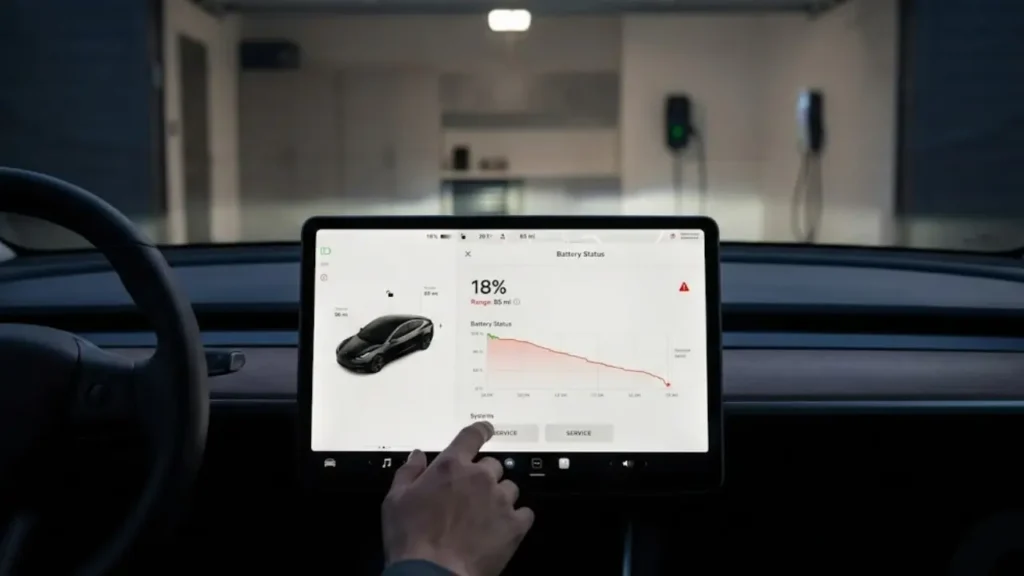
You wake up, check your Tesla app, and your heart sinks. You usually charge to 80%, which used to give you 260 miles of range. Today, for no apparent reason, it shows 245 miles. You lost 15 miles overnight.
Did your battery just degrade? Is there a bad cell? Before you schedule a service appointment or panic about replacement costs, take a deep breath.
In 90% of cases, your battery is physically fine. The problem isn’t the battery capacity—it’s the ruler measuring it. This is a software confusion known as BMS Drift, and the fix is a process called Tesla BMS calibration.
Real Degradation: This is permanent chemical aging. It happens slowly over years (about 1% per year).
Uncalibrated BMS: This is a “sudden” drop. If you lose 10-20 miles in a week, or if the percentage gets “stuck” at a number, it is almost certainly a calculation error, not a battery failure.
What is the “Guess-O-Meter”?
To understand the fix, you must understand how your car thinks. Unlike a gas car, which has a physical float inside the tank to measure fuel level, a Tesla battery is a solid block of chemicals.
The car cannot “see” inside the cells. Instead, the Battery Management System (BMS) acts like a sophisticated accountant. It counts energy going in (Charging) and energy going out (Driving).
This leads to issues with Tesla range display accuracy. If you drive short distances and only charge between 40% and 70% every day, the accountant loses track of where the “Top” (100%) and “Bottom” (0%) truly are. The BMS starts “guessing” to play it safe, often hiding available range.
Imagine a bucket of water. You can’t look inside it. You only know how much you poured in and poured out. Over time, small spills (phantom drain) and evaporation (heat loss) mess up your math. You think the bucket is half full, but it might be 60% full. Calibration is simply emptying the bucket and filling it to the brim so you know exactly how much it holds again.
Signs Your Tesla Needs Calibration
How do you know if you are suffering from “BMS Drift”? Look for these symptoms:
- Sudden Drop: Your range dropped significantly after a software update or within a few days.
- Stuck Percentage: While charging, the car stays at 99% for a very long time but refuses to hit 100%.
- Premature Shutdown: (Rare) The car shuts down even though the screen says you have 5% battery left.
If this sounds like your car, you need to “teach” the battery where its limits are. In the next section, we will walk you through the step-by-step Tesla battery balancing procedure. This is safe, free, and you can do it at home.
The Official Calibration Protocol (Step-by-Step)
There is a lot of bad advice on forums suggesting you should drain the battery to 0% until the car dies. DO NOT DO THIS. It is dangerous and damaging.
The goal is to show the BMS the “Low” point and the “High” point safely. Here is the safest method to reset the Tesla battery algorithm.
Step 1: The “Safe” Drain
Drive your Tesla normally until the battery percentage drops below 10%. Single digits are best (e.g., 5-9%).
Tip: Do not intentionally run the heater while parked to drain it. Driving provides a more stable discharge curve for the BMS to read.
Step 2: The Deep Sleep (Crucial Step)
This is where 90% of owners fail. Once parked with low battery (below 10%), let the car sit for at least 3 hours.
- Turn OFF Sentry Mode. (Sentry keeps the computer awake).
- Do not open the Tesla App. (Checking the app wakes the car).
- Do not open the doors.
Why? During this sleep, the BMS measures the Open Circuit Voltage (OCV) of the cells without any electrical “noise” to find the true 0% reference point.
Step 3: The Big Charge
After the 3-hour nap, plug in your car (Level 2 home charging is best). Set the charge limit to 100%.
Let it charge uninterrupted until it stops. Once it hits 100%, leave it plugged in for another 1-2 hours.
This extra time allows for “Cell Balancing,” where the BMS levels out the voltage of individual brick groups.
Important: Do You Have LFP or NCA Battery?
The calibration rules differ slightly depending on your battery chemistry. If you don’t know which one you have, go to Controls > Software > Additional Vehicle Information.
Usually found in Model 3/Y RWD. Tesla recommends charging these to 100% at least once a week. Regular Tesla Model 3 LFP battery calibration keeps the range accurate.
Found in Long Range models. Do NOT charge to 100% daily. Only perform this Tesla 100% charge calibration once every 3-6 months if you notice range issues.
After completing this cycle, drive the car immediately (don’t let it sit at 100% for days). You should see your estimated range jump back up, closer to the original EPA rating.
But wait—what if you did all this and the range didn’t come back? That means something else is draining your battery. In the next section, we will discuss the “Silent Killers” of range.
The “Babying” Mistake: Why Your BMS Gets Confused
Ironically, taking too much care of your battery can sometimes cause these display errors. Owners who drive very short distances (e.g., 5 miles) and plug in immediately every single time, keeping the battery strictly between 60% and 70%, are most likely to see Tesla range display accuracy issues.
The BMS needs data points. Occasionally letting the battery drop to 20% and charging it to 90% helps the computer “see” the wider curve of voltage, keeping the math accurate without needing a full calibration.
Calibration Failed? Check for “Vampire Drain”
If you performed the discharge/charge cycle perfectly and your range is still dropping mysteriously, the issue might not be the software—it might be physical energy loss.
Background apps, Sentry Mode, and Overheat Protection can consume energy while parked, making it look like degradation. Before you blame the battery health, read our guide on Tesla Phantom Drain: Why You Lose Miles While Parked to rule out these energy vampires.
For more tips on maximizing efficiency, check out Tesla’s Official Range Tips page. It explains how driving habits affect the projected range number more than battery health does.
Frequently Asked Questions
You do not need to do this often. Once a year is sufficient, or only when you notice a significant discrepancy in the displayed range. Frequent 0-100% cycling can actually accelerate degradation.
2. Will calibration bring back lost range?If the loss was due to BMS drift (software error), yes, the number will go up. If the loss is due to chemical degradation (real wear and tear), calibration will simply give you a more accurate (but lower) number.
3. Is it safe to charge to 100% for calibration?Yes, doing it once for calibration is perfectly safe. Just make sure you drive the car within a few hours after it hits 100%. Do not let a Long Range (NCA) battery sit at 100% for days.