
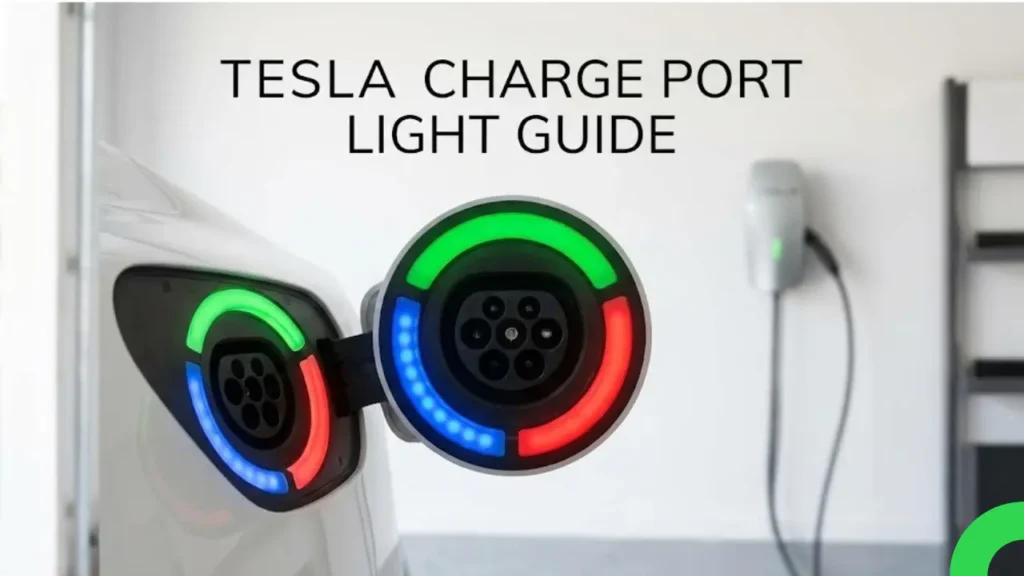
You plug in your Tesla, walk away, and suddenly notice the charge port logo isn’t green. It’s blue. Or worse… red. Before you panic and call a tow truck, take a deep breath.
Your Tesla is trying to talk to you. The “T” logo next to the charge port uses a specific color code to tell you exactly what is happening—from “I’m cold, warm me up” to “The plug isn’t inserted all the way.”
Here is the 3-second cheat sheet to decode the lights instantly.
⚡ Tesla Charge Port Light Meanings (Quick Chart)
| Light Color | Meaning | Action Required |
|---|---|---|
| ● White | Ready to plug in / Unlocked | Insert the cable. |
| ● Blue (Flashing) | Communicating with charger | Wait. It is “shaking hands” with the plug. |
| ● Green (Flashing) | Charging in progress | Relax. The faster it blinks, the faster it charges. |
| ● Green (Solid) | Charging Complete | Unplug and drive. |
| ● Amber | Connector not fully plugged in | Push the plug in harder. |
| ● Red | Fault detected / Error | Unplug, wait, and try again. |
Source: Tesla Official Owner’s Manual
While the chart above covers 90% of cases, the way the light blinks (fast vs. slow) tells a deeper story about your charging speed and battery health.
Decoding the “Normal” Lights (White, Blue, Green)
Before we get to the scary red lights, it is important to understand the language of a healthy Tesla. The car communicates its status through three primary colors: White, Blue, and Green. However, how they flash (fast vs. slow) matters just as much as the color itself.
⚪ White: The “Ready” Signal
When you unlock your car or press the button on the charging handle, the Tesla logo on the charge port will glow Solid White.
What is happening? The latch inside the port has physically opened. The car is essentially saying, “I am awake, unlocked, and ready for you to insert the cable.”
Note: The white light only stays on for a few seconds. If you don’t plug in quickly, the port will lock again and the light will turn off to save energy. You will need to press the handle button again to wake it up.
🔵 Blue: The “Handshake”
This is the most misunderstood color. When you plug the cable in, the light turns Blue. This does not mean it is charging yet.
What is happening? The car and the charger are negotiating. This is called the “Handshake Protocol.”
- The Car asks: “How much voltage can you give me?”
- The Charger replies: “I can give you 48 Amps.”
Once they agree, the light will turn Green. However, if the light keeps flashing Blue for more than a minute, it means the negotiation is failing or the battery is too cold to accept a charge.
If the communication phase takes too long, your charging speed will suffer drastically. Check out our guide on the 5 Main Reasons Why Your Electric Car Charging Is Slow to troubleshoot this issue.
🟢 Green: The “Heartbeat”
Green is good. It means electrons are flowing into your battery pack. But did you know the speed of the blink tells you how full your battery is?
- Fast Blinking Green: The battery is empty (low State of Charge). It is accepting energy as fast as possible.
- Slow Blinking Green: The battery is getting full. As it nears 80% or 90%, the blinking slows down significantly.
- Solid Green: Charging is complete. The car has reached the limit you set in the app.
Troubleshooting the Warning Lights (Amber & Red)
If you see these colors, something is preventing the car from charging. But don’t worry, 90% of the time, it is a simple fix that doesn’t require a service center visit.
🟠 Amber: The “Connection” Issue
If the light turns Solid Amber, it almost always means the car is not fully latched onto the cable. Think of it like a door that is closed but not clicked shut.
- Push Harder: Remove the cable and insert it again with a firm push until you hear a mechanical “Click” sound.
- Check for Debris: Use a flashlight to see if there is any dirt, ice, or leaves stuck inside the charge port blocking the connection.
- Frozen Latch: In freezing winter, the locking pin might be stuck. Use the car’s “Defrost Mode” from the app to melt the ice.
🔴 Red: The “Fault” Signal
A Red Light means charging has stopped completely due to a safety risk. This could be an issue with the car, the cable, or the power grid.
Is it the Car or the Charger?
- At a Supercharger: If you see red, move to a different stall. Usually, the stall itself is broken, not your car.
- At Home (Mobile Connector): It often indicates a grounding issue with your house’s wiring or a voltage spike.
⚠️ The 3-Step Reset Method
Before calling Tesla Support, try this proven reset trick:
- Unplug Everything: Remove the charger from the car AND unplug the mobile connector from the wall outlet.
- Wait 60 Seconds: This allows the charger’s internal circuit breaker (GFCI) to reset.
- Plug Wall First: Plug the connector into the wall first. Check if the lights on the brick are green.
- Plug Car Last: Finally, plug it into your Tesla.
If the red light persists, check your car’s screen. It will display a specific error code (e.g., “CP_a004”) which tells you exactly what is wrong.
What If There Is No Light At All?
Sometimes, you plug in and see… darkness. No light doesn’t necessarily mean the port is broken.
- Sleep Mode: Once the car locks and starts charging successfully, the light turns off to save energy and avoid drawing attention. It’s normal.
- Power Cut: If the light goes dark immediately without turning green first, check if your home’s breaker has tripped.
🌈 Bonus: The Secret “Rainbow Road” Mode
Want to impress your friends? Tesla engineers hid a fun party trick in the charge port.
How to activate it: While the car is plugged in, press the button on the charging handle 10 times quickly in a row. The charge port light will cycle through every color of the rainbow like a disco light!
(Note: This is purely for fun and doesn’t affect charging speed.)
Frequently Asked Questions
What does a flashing blue light mean?
It means the car is “talking” to the charger (negotiating voltage). If it flashes blue for a long time, communication is slow, often due to cold weather or a bad cable.
Why is my charge port light red?
Red means a charging fault. It’s usually a loose connection or a power fluctuation. Try the “unplug everything and wait 60 seconds” trick to reset it.
What does an amber/orange light mean?
The latch isn’t closed properly. Remove the charging cable and push it back in firmly until you hear a mechanical click.
Final Thoughts: Trust the Green Light?
Understanding these colors saves you from panic. A Blue light is just a conversation, and a Red light is usually just a loose plug.
However, the Solid Green Light can be the most confusing one. Sometimes it turns green at 80%, and sometimes at 100%. If you are confused about whether you should be charging to 100% or stopping at 80%, it depends entirely on your battery chemistry.
Make sure you know if your car needs 100% or hates it. Read our critical guide here: LFP vs. NCA: The Ultimate Charging Guide.
Got a weird color we didn’t mention? Drop a comment below with your model and we’ll help you decode it! 👇
Pingback: Can You Take an EV Through a Car Wash? (Neutral Mode Guide) - greenmountmotors.com
Pingback: How to Clean Your EV Charging Port Safely (Without Shock Risk) - greenmountmotors.com