
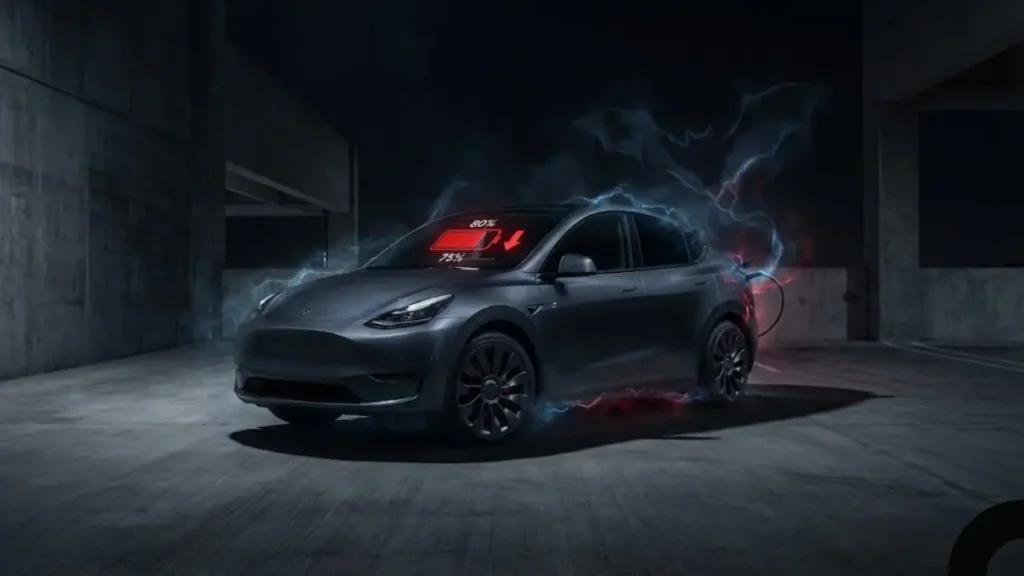
You parked your Tesla at 8:00 PM with 80% battery. You wake up at 7:00 AM, haven’t driven a single inch, and check the app only to see 74% remaining. Six percent of your range—roughly 20 miles—has vanished into thin air overnight. If this scenario sounds familiar, you are a victim of “Vampire Drain.”
Unlike a gas car that can sit for weeks without losing fuel, a Tesla is essentially a high-performance computer on wheels. Even when parked, it is thinking, monitoring, and protecting itself. However, there is a fine line between “healthy monitoring” and Tesla losing battery while parked excessively.
Also known as Vampire Drain, this refers to the energy consumed by the vehicle’s systems while it is stationary. This includes the onboard computer, cellular connectivity, battery temperature management, and security sensors.
The Benchmark: What is “Normal” Drain?
Before you start panicking or scheduling a service appointment, you need to know the baseline. Not all battery loss is a defect. According to fleet data and general consensus among owners:
- Healthy: Losing 1% or less per day (24 hours). This indicates the car is successfully entering “Deep Sleep” mode.
- Acceptable: Losing 2-3% per day. Usually caused by mild weather changes or Sentry Mode being active for short bursts.
- Problematic: Losing 5% or more per day. This indicates something is keeping the car “awake” permanently.
A 5% daily loss doesn’t seem like much, but let’s do the math. If your Model Y Long Range loses 5% (approx 3.75 kWh) every day simply sitting in the driveway, that is 1,368 kWh wasted per year.
Depending on your electricity rates, you are literally burning $200 to $400 a year just to heat up the driveway. We are here to help you put that money back in your pocket.
Rule #1: Stop Checking the App!
The most common cause of battery drain is actually the owner. It is the “Schrödinger’s Cat of Teslas.”
Every time you open the Tesla mobile app to check your battery percentage, you send a signal to the car to “Wake Up.” The car must spin up the high-voltage contactors, boot the computer, and connect to LTE to send you the data. This process alone uses significant energy.
If you check your app 10 times a day “just to see if the battery is draining,” you are causing the drain you are worried about. To fix the issue, you must let the car sleep uninterrupted for at least 24 hours while following the steps in the next section.
If you have stopped checking the app and the battery is still dropping, then a specific setting is likely the culprit. In the next section, we will expose the “Big Three” features that secretly eat your range.
The “Big Three” Energy Vampires
If your car is losing battery rapidly, 90% of the time, one of these three features is running in the background. While they are useful, they prevent the car from entering “Deep Sleep.”
This is the #1 cause of Does Sentry Mode drain battery queries. When active, the car’s computer (AP processor) stays fully awake to analyze video feeds from four cameras continuously.
The Fix: You don’t need to turn it off completely. Go to Controls > Safety > Sentry Mode and check the box for “Exclude Home.” This ensures the car sleeps when parked in your safe garage.
For a deep dive on how to optimize these security settings without losing protection, read our complete Tesla Sentry Mode Guide.
If you park outside in the sun, this feature wakes up the HVAC system to keep the interior below 100°F. If you have “A/C” enabled, it uses the high-voltage battery to run the compressor.
The Fix: Switch the setting to “No A/C” (Fan Only) to save energy, or accept the loss for comfort. Remember, this feature runs for 12 hours after you park.
If you are confused about why this turns off automatically or uses too much power, check our troubleshooting article: Tesla Cabin Overheat Protection Guide.
If you have purchased Enhanced Autopilot (EAP) or Full Self-Driving (FSD), your car might be ready to “come to you” at a moment’s notice. This keeps the ultrasonic sensors and cameras warm and ready.
The Fix: Most owners don’t use Summon daily. Turn off “Standby Mode” in the Autopilot settings to allow the car to sleep deeper.
If you have disabled all three of these features (Sentry, COP, and Summon) and are still seeing significant battery loss, the culprit is likely not inside the car—it is on your phone. In the next section, we will discuss the “Third-Party App” trap.
The “Ping” Problem: Third-Party Apps
Have you connected your Tesla account to third-party apps like TeslaFi, Stats, EEVEE, or Optiwatt? Or perhaps you use a battery widget on your iPhone home screen?
These apps are fantastic for data, but they can be the primary cause of Tesla 3rd party apps battery drain. Here is why: To show you updated data, these apps send a “Ping” request to your car via the API. If the app pings the car every 15 minutes, the car never gets a chance to fall into deep sleep.
To confirm if an app is the culprit, change your Tesla Account Password. This instantly revokes access for all third-party services. If the drain stops the next day, you know one of your apps had aggressive “polling settings.” You can then reconnect them one by one, ensuring “Sleep Mode” is enabled in their settings.
The “Blue Snowflake”: Cold Weather Phantom Drain
In winter, you might wake up to see a massive drop in range (5-10%) and a blue snowflake icon next to the battery bar. This is confusing, but usually, the energy isn’t actually “lost.”
Tesla cold weather battery loss parked is often a calculation adjustment, not a drain. When the battery cells are freezing, the chemical ions slow down. The Battery Management System (BMS) “locks away” a portion of energy because it cannot be safely accessed until the battery warms up.
Once you start driving and the battery warms up, that “missing” blue portion will turn green and become available again. To minimize this, Tesla recommends keeping the car plugged in (even to a 110V outlet) to keep the battery warm. See official Tesla Winter Driving Tips.
The Dying 12V Battery Loop
This is a rare but critical hardware failure. Your Tesla has two batteries: the massive High Voltage pack (under the floor) and a small 12V Low Voltage battery (under the hood) that powers lights, windows, and computers.
If the small 12V battery is failing or old, it cannot hold a charge. The car detects this and wakes up the main HV battery to recharge the 12V battery. This cycle repeats dozens of times a night, causing massive Tesla 12v battery causing main battery drain.
If you see a warning like “Schedule Service to Replace Low Voltage Battery,” do not ignore it. This is killing your range. To understand the costs and DIY options, read our guide on Tesla Battery Replacement Cost & Signs.
Now that we have identified the vampires (Settings, Apps, and Weather), how do you ensure the car actually goes to sleep? In the final section, we will give you the “Deep Sleep Checklist.”
The “Deep Sleep” Checklist
To stop Tesla battery drain overnight completely, perform this audit tonight. If you follow these steps, your loss should drop to 1% or less per day.
✅ The Zero-Drain Setup
Is Your Battery Lying? (BMS Calibration)
Sometimes, you haven’t actually lost energy—the computer just thinks you have. If the Battery Management System (BMS) gets confused, it might report 70% one minute and 65% the next, creating a “fake” drain.
1. Drive the car down to below 10%.
2. Let it sleep (unplugged) for 3 hours.
3. Charge it uninterrupted to 100%.
4. Let it sleep (plugged in) for 3 hours.
This teaches the computer where the true “bottom” and “top” of the battery are, often fixing ghost drain numbers.
Final Verdict: When to Call Service?
If you have followed every step in this guide—disabled Sentry, changed app passwords, and unplugged accessories—and you are still losing more than 4-5% per day consistently, you likely have a hardware issue. It could be a stuck relay, a faulty seat sensor, or a failing computer module. In this case, schedule a service appointment via the app.
Frequently Asked Questions
1. Does leaving the Tesla charger plugged in reduce drain?Yes! “A plugged-in Tesla is a happy Tesla.” If the car is plugged in, it draws power from the wall (shore power) for battery heating and background tasks instead of draining the main battery pack.
2. How do I use the Energy App to find the drain?Open the Tesla energy app parked data tab on your car’s touchscreen. It breaks down exactly where energy went since the last drive (e.g., Sentry Mode, Screen Time, Mobile App, or Vehicle Standby). It is the best diagnostic tool you have.
3. Is 1% battery loss per day normal?Absolutely. A 1% loss (about 2-3 miles) every 24 hours is considered excellent health. It means the car is maintaining its cellular connection and 12V battery normally.
4. Why does my range drop after charging to 100%?As the battery cools down after a charging session, the voltage drops slightly. This can result in a 1-2% drop displayed on the screen shortly after charging finishes. This is physics, not a defect.
Pingback: Tesla Range Drop? How to Calibrate BMS & Fix Accuracy (2026 Guide) - greenmountmotors.com